> ## Documentation Index
> Fetch the complete documentation index at: https://docs.decoart.com/llms.txt
> Use this file to discover all available pages before exploring further.
# Manage MSDS Sheets Submodule
## Overview
The **Part Information → Manage MSDS Sheets** submodule is where you can create, view, and manage Material Safety Data Sheets (MSDS) for both raw materials and finished products. This module serves as a centralized repository for all safety documentation required for regulatory compliance and customer requirements.
MSDS sheets are critical for:
* **Regulatory Compliance**: Meeting OSHA, EPA, and international safety requirements
* **Customer Documentation**: Providing safety information when requested by customers
* **Internal Safety**: Ensuring proper handling and storage procedures for materials
* **Toxicology Reviews**: Supporting compliance specialist work for product approvals
## What You Can Do
Depending on your role and permissions, you may not see all of these tabs or have access to all functionality.
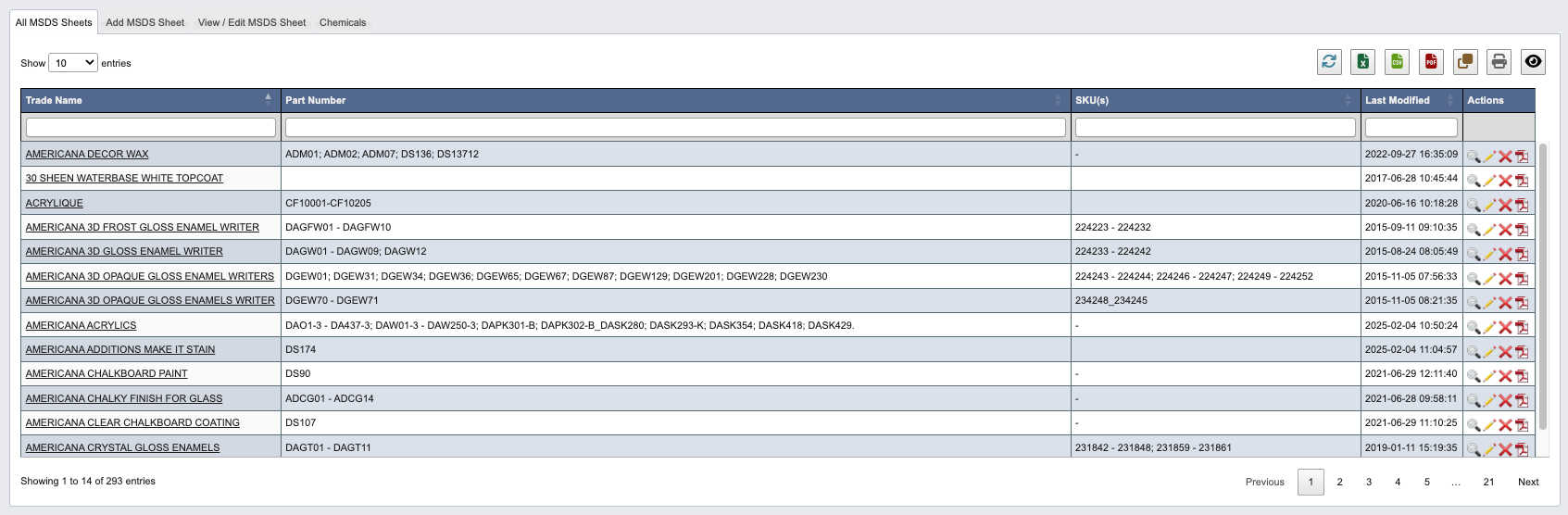
## All MSDS Sheets
A comprehensive view of all existing Material Safety Data Sheets in the system, both for raw materials and finished products.
 ## Add MSDS Sheet
Create new Material Safety Data Sheets (MSDS) for products using an integrated template system.
## Add MSDS Sheet
Create new Material Safety Data Sheets (MSDS) for products using an integrated template system.
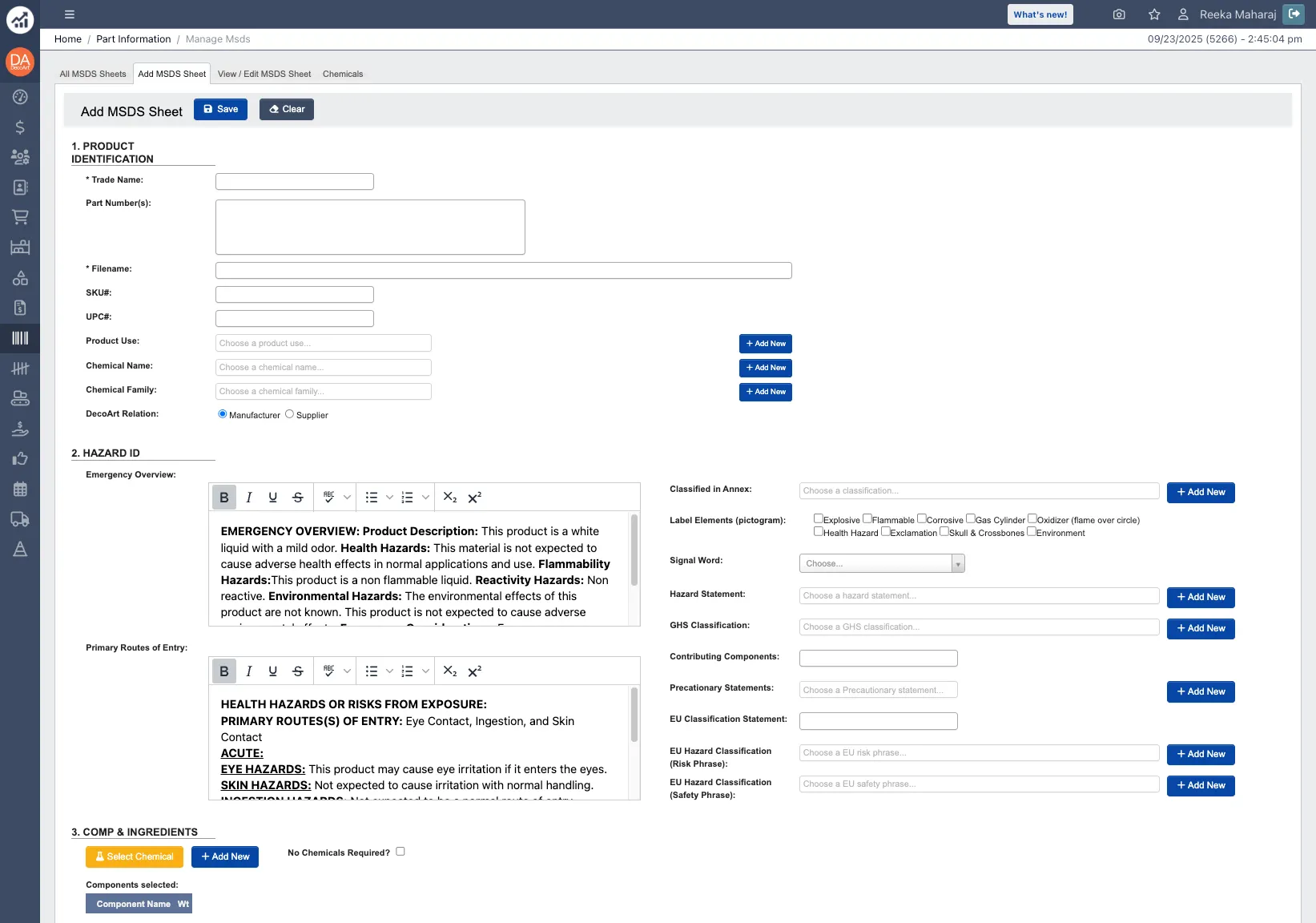 When developing new finished goods, lab technicians use this feature to create comprehensive safety documentation from scratch. The system provides pre-populated templates with standard information here you can:
* Enter trade names and part numbers.
* Select from existing chemical databases.
* Choose appropriate hazard pictograms and statements.
* Add composition and ingredient information.
* Customize safety instructions and handling procedures.
* Pre-saved chemical information for commonly used materials.
* Automatic text generation based on selected hazard categories.
* Integration with existing part information database.
* Standardized formatting for consistency.
When saved you will have a MSDS ready for use.
## View / Edit MSDS Sheet
Access and modify existing Material Safety Data Sheets with full editing capabilities.
When developing new finished goods, lab technicians use this feature to create comprehensive safety documentation from scratch. The system provides pre-populated templates with standard information here you can:
* Enter trade names and part numbers.
* Select from existing chemical databases.
* Choose appropriate hazard pictograms and statements.
* Add composition and ingredient information.
* Customize safety instructions and handling procedures.
* Pre-saved chemical information for commonly used materials.
* Automatic text generation based on selected hazard categories.
* Integration with existing part information database.
* Standardized formatting for consistency.
When saved you will have a MSDS ready for use.
## View / Edit MSDS Sheet
Access and modify existing Material Safety Data Sheets with full editing capabilities.
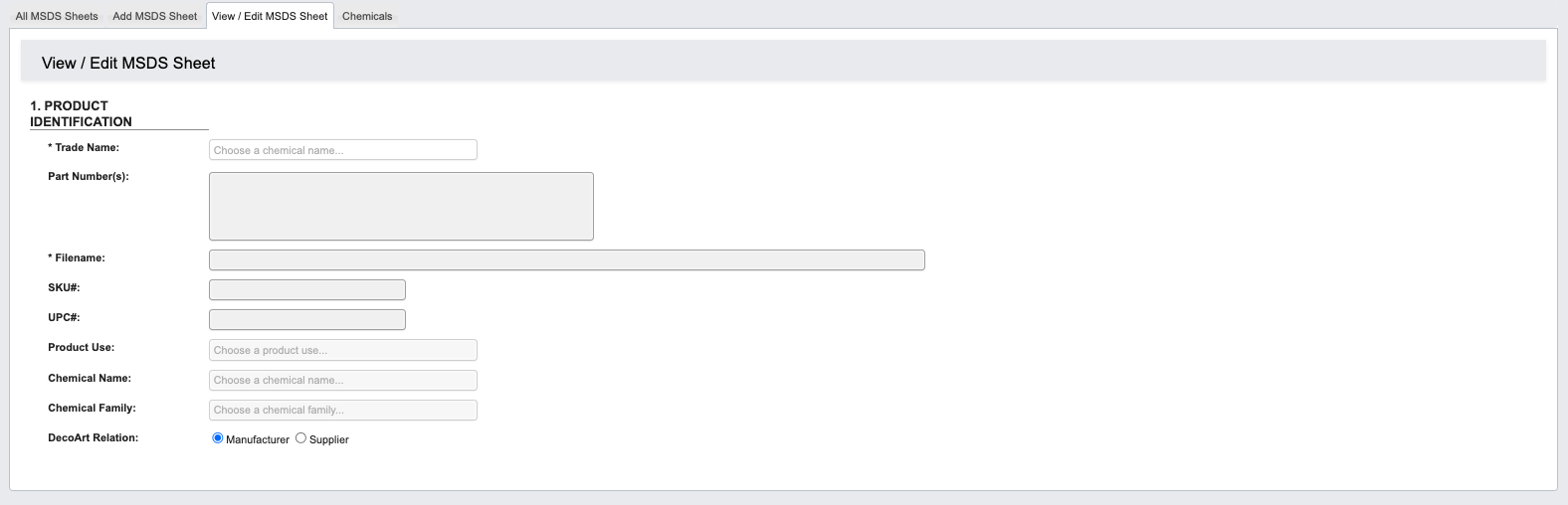 **Viewing Capabilities**:
* Display complete MSDS information in standard format
* Show current warnings, hazard statements, and safety instructions
* Access composition and ingredient details
* Review handling and storage requirements
**Editing Functions**:
* **Copy Existing Sheets**: Duplicate similar products as starting points for new MSDS creation
* **Update Information**: Modify hazard statements, composition percentages, or safety instructions
* **Version Control**: Maintain historical versions while creating updated sheets
* **Generate PDFs**: Create printable versions for distribution or regulatory submission
**Regulatory Updates**: When suppliers provide updated safety information or regulations change, use this section to maintain current, compliant documentation.
## Chemicals
Manage the database of individual chemical components used in MSDS sheet creation.
This section contains:
* **Chemical Database**: Pre-saved information for commonly used raw materials
* **CAS Numbers**: Chemical Abstract Service identifiers for regulatory compliance
* **Hazard Classifications**: Physical hazards, health hazards, and environmental risks
* **Risk Phrases**: Standardized safety warnings and precautionary statements
* **Regulatory Information**: Prop 65, REACH, and other compliance data
**Viewing Capabilities**:
* Display complete MSDS information in standard format
* Show current warnings, hazard statements, and safety instructions
* Access composition and ingredient details
* Review handling and storage requirements
**Editing Functions**:
* **Copy Existing Sheets**: Duplicate similar products as starting points for new MSDS creation
* **Update Information**: Modify hazard statements, composition percentages, or safety instructions
* **Version Control**: Maintain historical versions while creating updated sheets
* **Generate PDFs**: Create printable versions for distribution or regulatory submission
**Regulatory Updates**: When suppliers provide updated safety information or regulations change, use this section to maintain current, compliant documentation.
## Chemicals
Manage the database of individual chemical components used in MSDS sheet creation.
This section contains:
* **Chemical Database**: Pre-saved information for commonly used raw materials
* **CAS Numbers**: Chemical Abstract Service identifiers for regulatory compliance
* **Hazard Classifications**: Physical hazards, health hazards, and environmental risks
* **Risk Phrases**: Standardized safety warnings and precautionary statements
* **Regulatory Information**: Prop 65, REACH, and other compliance data
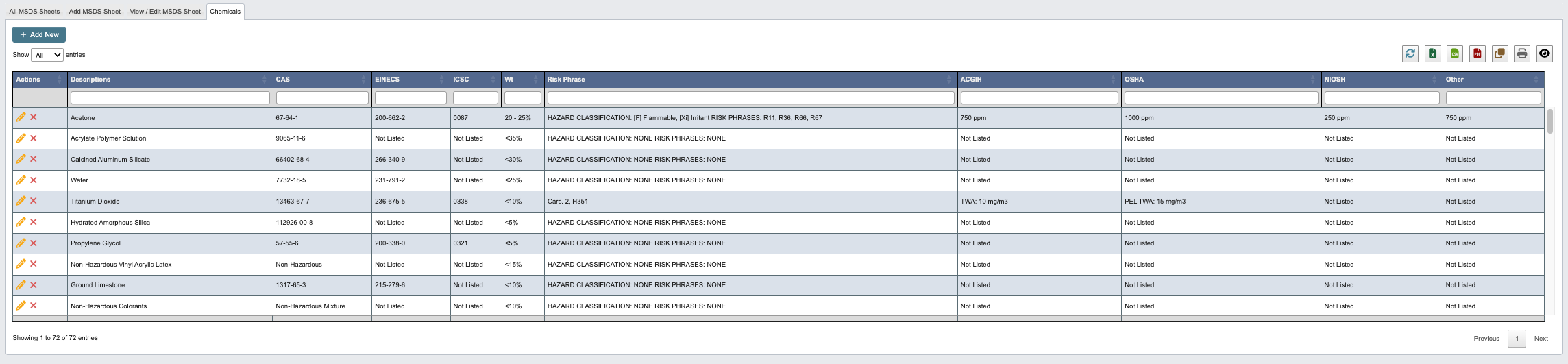 When new raw materials are introduced, add their safety information here to make them available for MSDS creation.
1. Click `+ Add New`.
2. Enter a description, risk phase and hazard information and any other regulatory information.
3. When you have filled in all Chemical details, click:
1. `Save and add another` to add another chemical.
2. `Save` to save the details and go back to the chemical table.
3. `Cancel` to close the window and take you back to the chemical table.
When new raw materials are introduced, add their safety information here to make them available for MSDS creation.
1. Click `+ Add New`.
2. Enter a description, risk phase and hazard information and any other regulatory information.
3. When you have filled in all Chemical details, click:
1. `Save and add another` to add another chemical.
2. `Save` to save the details and go back to the chemical table.
3. `Cancel` to close the window and take you back to the chemical table.