What is DASH?
DASH (Data Analysis and Systems Hub) is an ERP (Enterprise Resource Planning) system by DecoArt that supports everything your company needs to run smoothly. It brings all aspects of your business - from finance and administration to inventory, manufacturing, sales, logistics, and quality control - into a single, connected platform. At its core, DASH helps your teams work from the same accurate data. Instead of switching between various tools, DASH gives everyone a shared system for managing parts, tracking orders, running work orders, handling financials, and more. DASH can be configured so that each team only sees what’s relevant to them. Whether you’re in accounting, customer support, or on the production floor, DASH will display the tools and information to help you do your job efficiently.What Can DASH Help You Do?
- Track and fulfill orders: From the moment an order is created to the time it’s shipped and invoiced.
- Manage your parts and inventory: Know exactly what you have, where it is, and what it costs.
- Run production smoothly: Create, monitor, and report on work orders and packaging jobs.
- Stay on top of accounting: Handle accounts payable, receivable, journal entries, P&Ls, and more.
- Coordinate purchasing: Create POs, manage vendors, and oversee inbound goods.
- Schedule smartly: Plan out batches, dispersion, and shipping lanes.
- Support teams across your company: From administrators managing users and roles to warehouse staff using DASH on handheld devices for picking and packing.
How Does DASH Work?
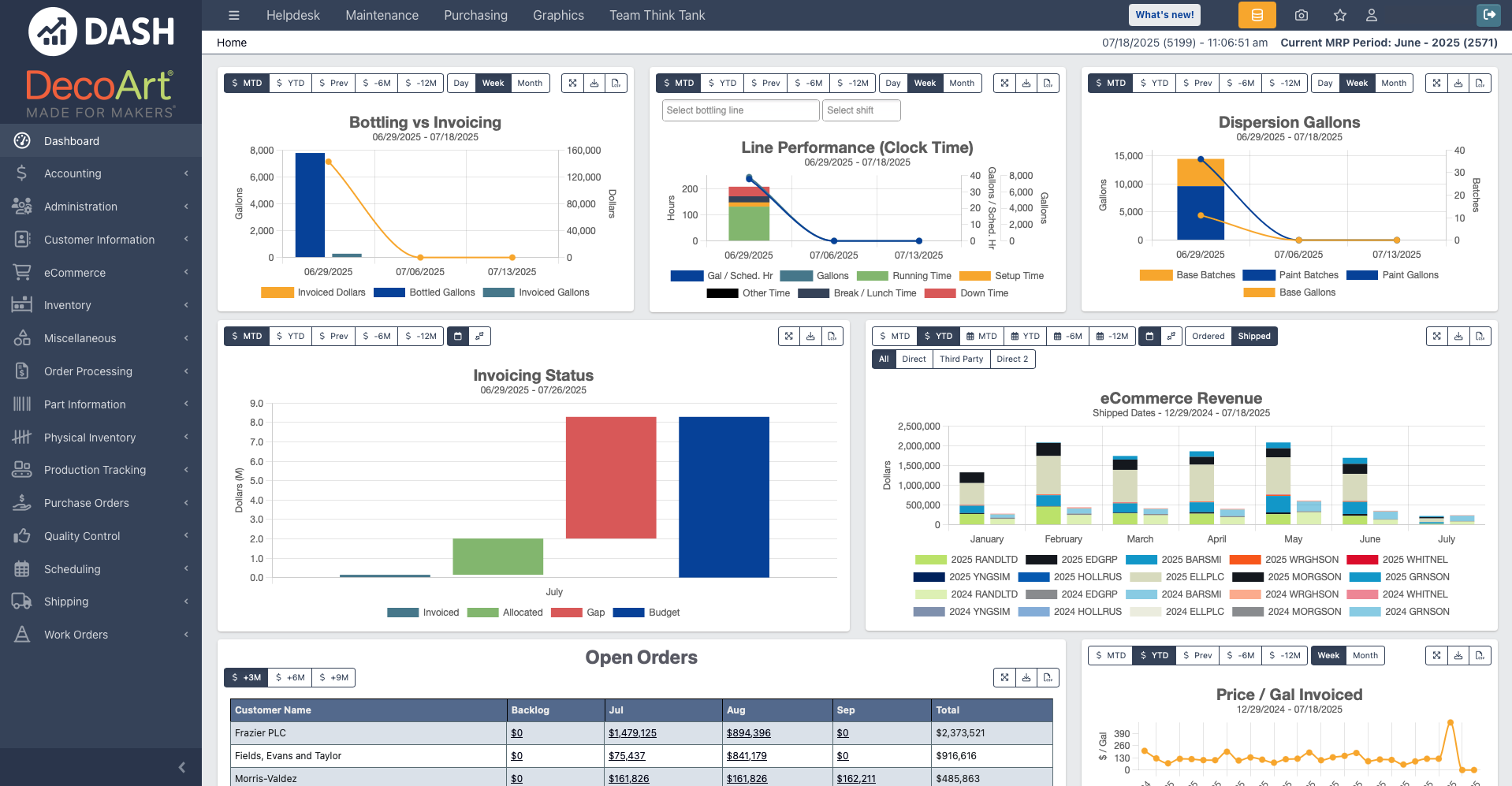
DASH is composed of several modules tailored towards specific tasks or teams, such as Accounting and Work Orders. Those modules form an interconnected system that communicates through a shared database. Your company’s users can be added to specific DASH modules according to their role. When you sign into DASH, you’ll land on the Dashboard. The Dashboard shows a high-level overview of key information in your company drawn from across your modules.What you see in DASH depends on your role:
- If you have an administrative or a back-office role (e.g., accounting, sales, customer service), you’ll see the Dashboard and sidebar with access to your assigned modules.
- If you have a production floor role (e.g., order selector, material handler, work order operator), you’ll see a different interface on your handheld device without the Dashboard or sidebar.
Core Concepts
Parts
In DASH, Parts are the foundational units that connect nearly every module together, from inventory and production to purchasing, sales, and finance. A Part is any discrete item, product, or material that moves through the business. Parts can represent:- Products sold to customers
- Components used in manufacturing
- Raw materials
- Packaging materials
- Work-in-process (WIP) assemblies
DASH’s Multi-Company Structure
DASH lets you manage multiple companies within a single system, while keeping their operations and finances separate. Each company has its own configuration, processes, and visibility. This is useful for setups like:- A parent company with multiple subsidiaries.
- Companies with different accounting calendars or workflows.
- Some acquisitions are set up as new companies.
- Others are folded in as product lines under an existing company.
License Plates, Locations, and Inventory Management
DASH tracks inventory using license plates and location tags, which together tell you where each part is and how much of it there is.- Location Tags describe the physical location of a part (e.g., warehouse, aisle, bin).
- License Plates are unique IDs tied to pallets. When scanned, they show what part is on the pallet, how much is there, and where it’s located.
Bills of Materials
In DASH, a Bill of Materials (BOM) lists all the components and quantities needed to manufacture a Part. You can think of it like a recipe for how to make a Part. Each BOM includes:- A list of subparts and how many of each are required.
- Whether each subpart is purchased or manufactured.
- Estimates for material costs, labor costs, and production time.
Next Steps
- Learn how to Navigate the Interface.
- Check out the DASH Glossary to learn about key terms and acronyms.
- Explore each DASH module from the Overview of DASH Modules page.