Overview
The Scheduling → Scheduling Reports submodule provides key reporting tools for production planning, materials management, and inventory forecasting. These reports are used daily by production schedulers to manage and coordinate complex manufacturing workflows. It enables schedulers and planners to identify shortages, generate production recommendations, and project quantity-on-hand levels after scheduled runs are completed. The reports integrate with external Excel-based analysis tools and support both automated and on-demand generation. These reports help answer questions such as:- “What parts are needed to complete scheduled batches?”
- “What adjustments should be made to maintain target inventory levels?”
- “How will our inventory look once current production is finished?”
- “Which orders require immediate production attention?”
- “What raw materials will purchasing need for upcoming production?”
Report Options
The submodule contains the following reports:- Batch Net Requirements: Identifies shortages and purchasing needs for work-in-process batches.
- Batch Ticket Recommendations: Suggests batch adjustments or new scheduling based on rolling usage data, weeks-on-hand targets, and available quantities.
- QOH Forecast: Projects quantity-on-hand after scheduled production using 6- or 12-month rolling usage data.
How to Generate a Batch Net Requirements Report
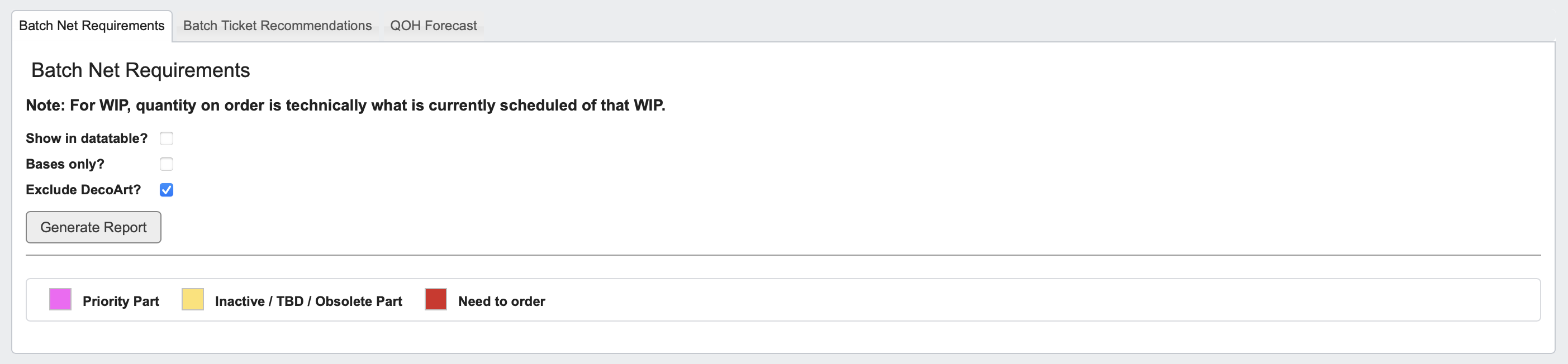
- Click the
Batch Net Requirementstab. - Choose your report options:
- Show in datatable: Display data in table format.
- Bases only: Limit to base materials.
- Exclude [YOUR COMPANY]: Omit internal parts.
- Click
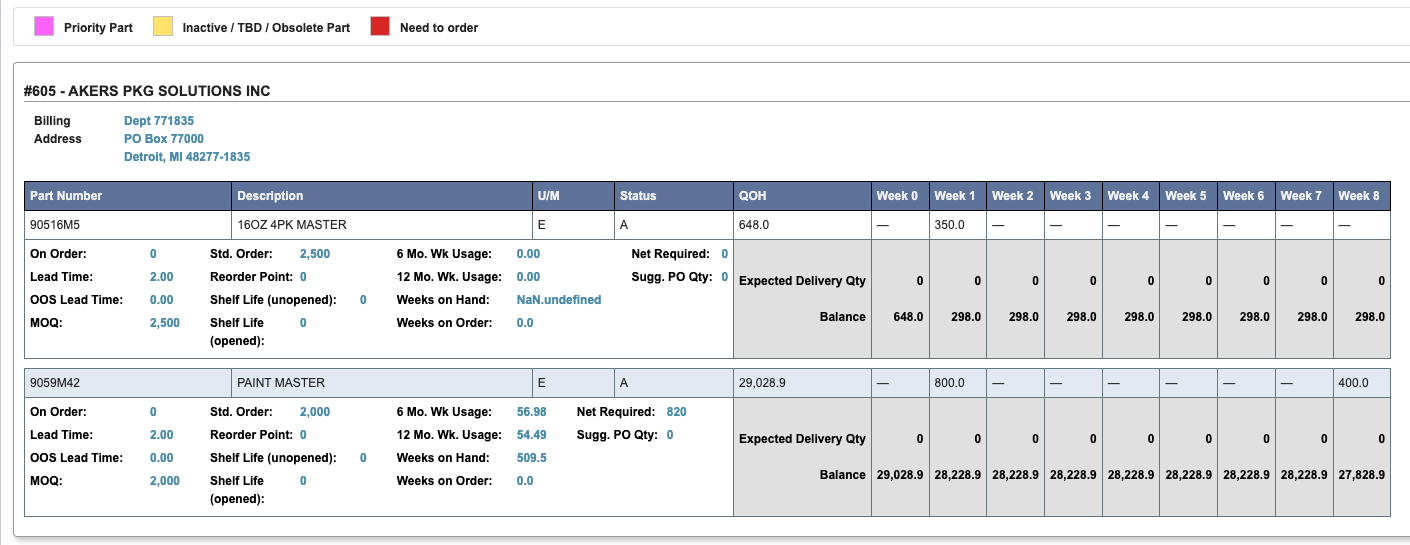
Generate Reportto view Part quantities scheduled and needed, Production Week information, Weekly Usage, and more.
Line items may be highlighted indicating the following:
- Pink: Priority part.
- Yellow: Inactive/obsolete part.
- Red: Part needs to be ordered.
How to Generate a Batch Ticket Recommendations Report
-
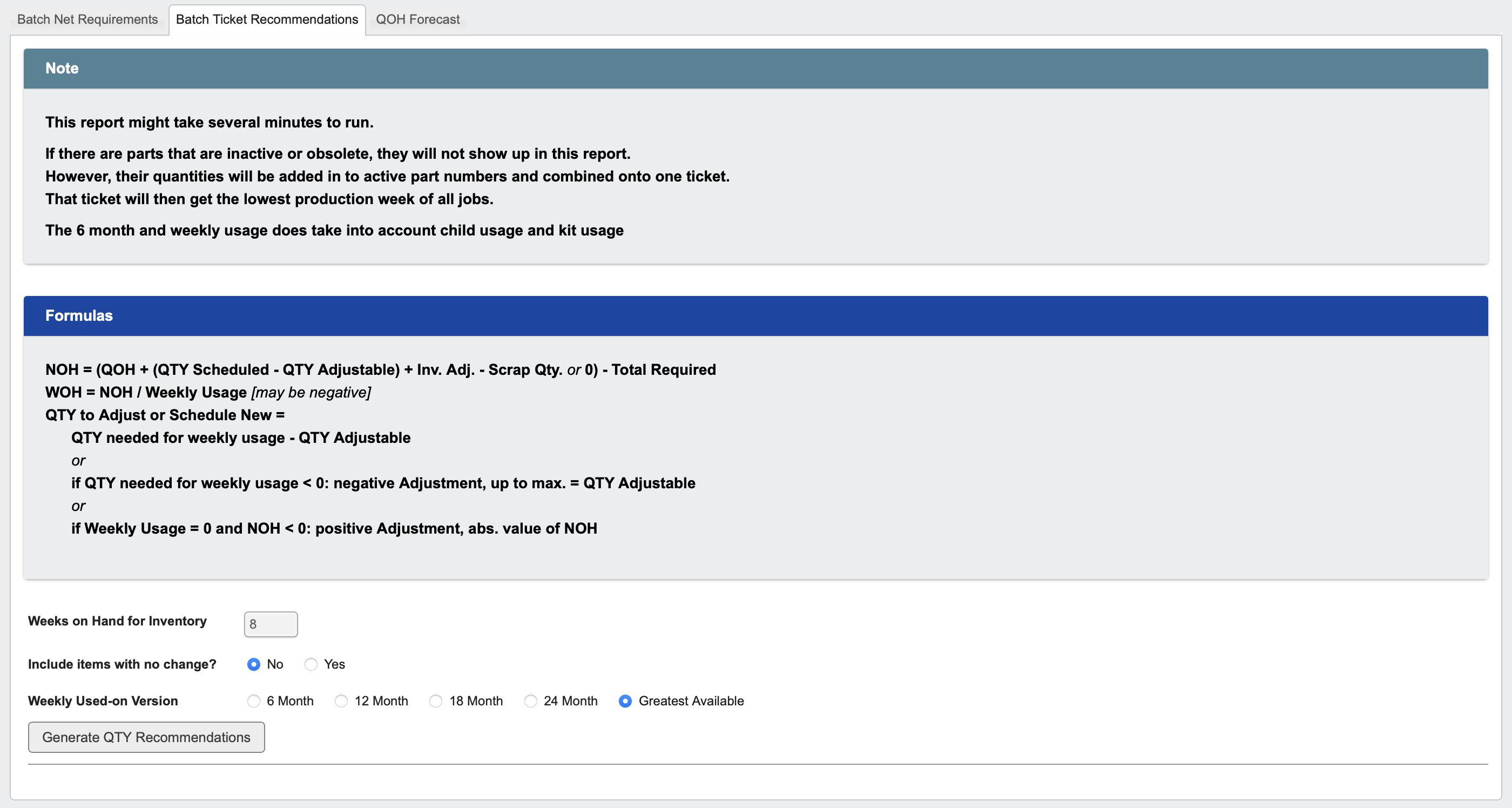
Click the
Batch Ticket Recommendationstab. - Calculation formulas are provided for your reference, no action is required on them.
-
Enter key parameters:
- Weeks on Hand for Inventory: Target coverage (e.g., 8 weeks).
- Include items with no change: Optionally include all items, even those without recommendation differences.
- Weekly Used-on Version: Choose a usage range (6-, 12-, 18-, or 24-month; or Greatest Available).
-
Click
Generate QTY Recommendationsto produce the report.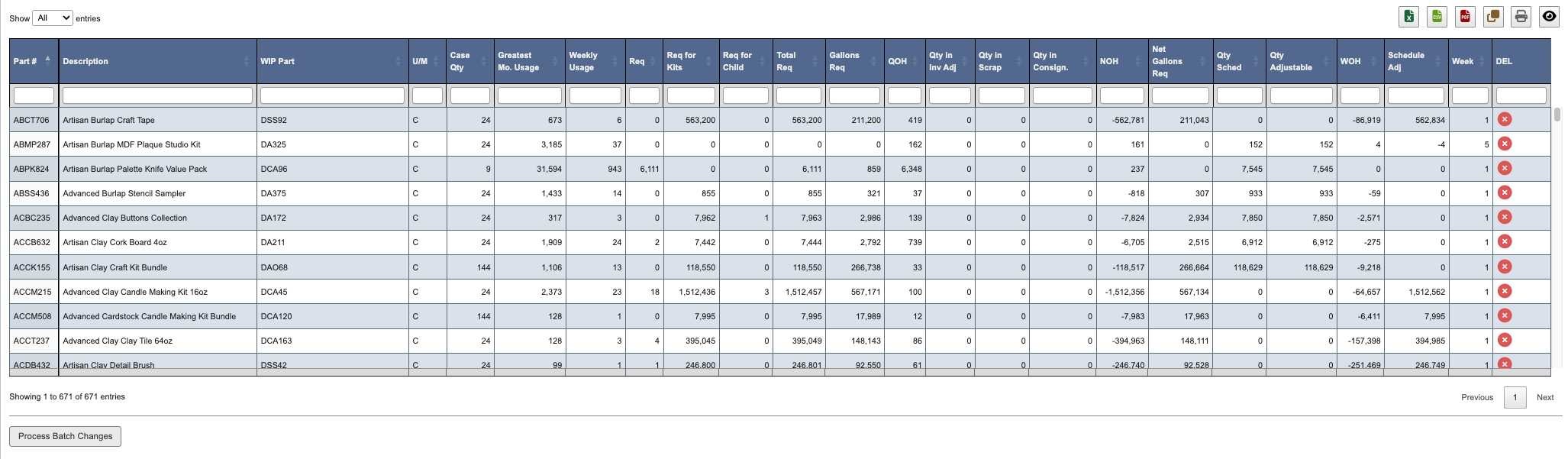
X icon for a part to remove it from the report. Removed parts appear crossed out and can be restored by clicking the X icon again.
When ready, click Process Batch Changes at the bottom of the screen. This will apply all recommendations, along with any adjustments made to generate new or updated batch tickets and bottling jobs.
This report is useful for: Production schedulers to adjust batch planning and maintain optimal stock levels based on real usage patterns.
How to Generate a QOH (Quantity on Hand) Forecast Report
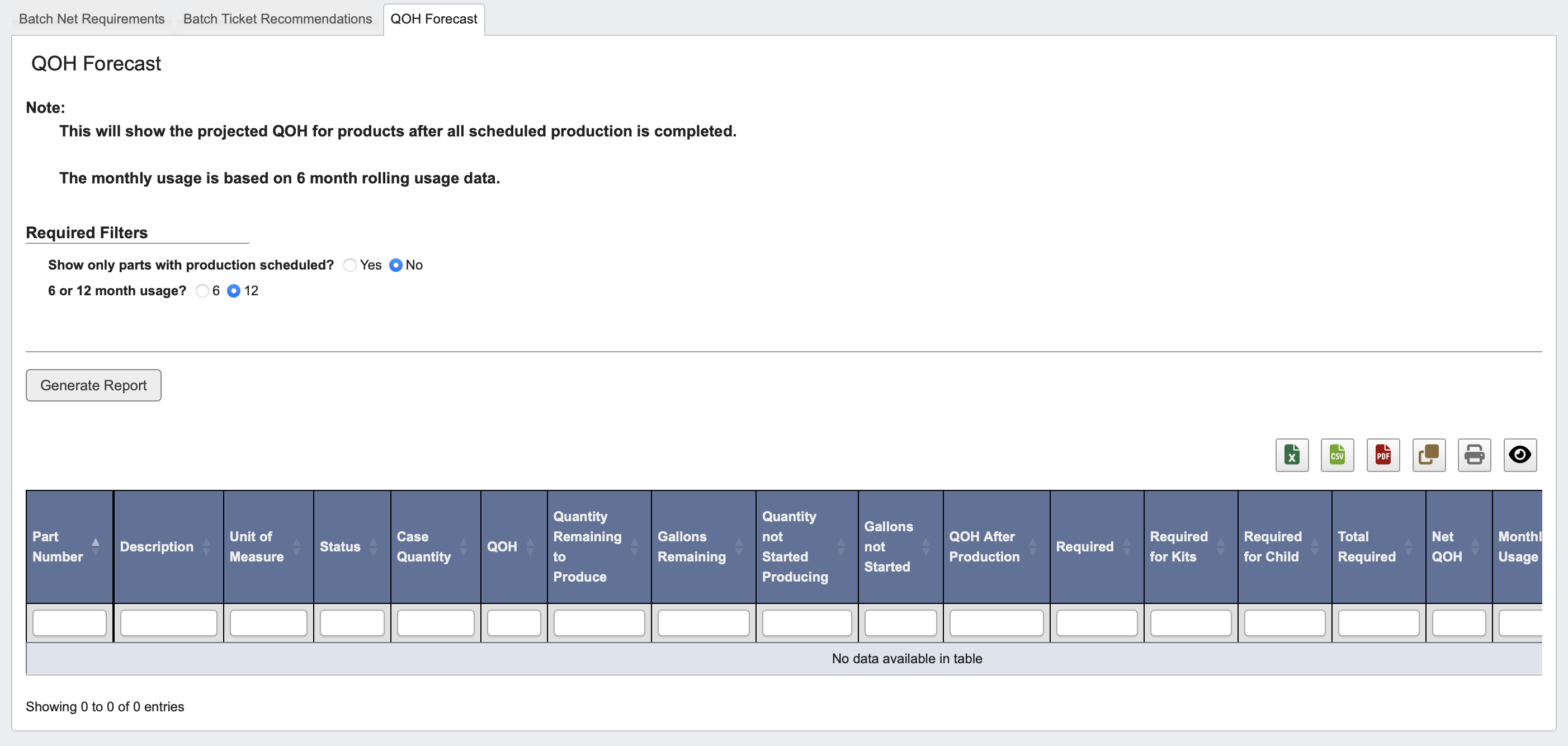
- Click the
QOH Forecasttab. - Choose filters:
- Show only parts with production scheduled?: Yes or No.
- 6 or 12 month usage?: Select usage window for forecasting.
- Click
Generate Reportto view projected post-production inventory levels.