Overview
The Administration → Manage Entities submodule provides tools for configuring entity structures and attributes within the administration system.Entity Types
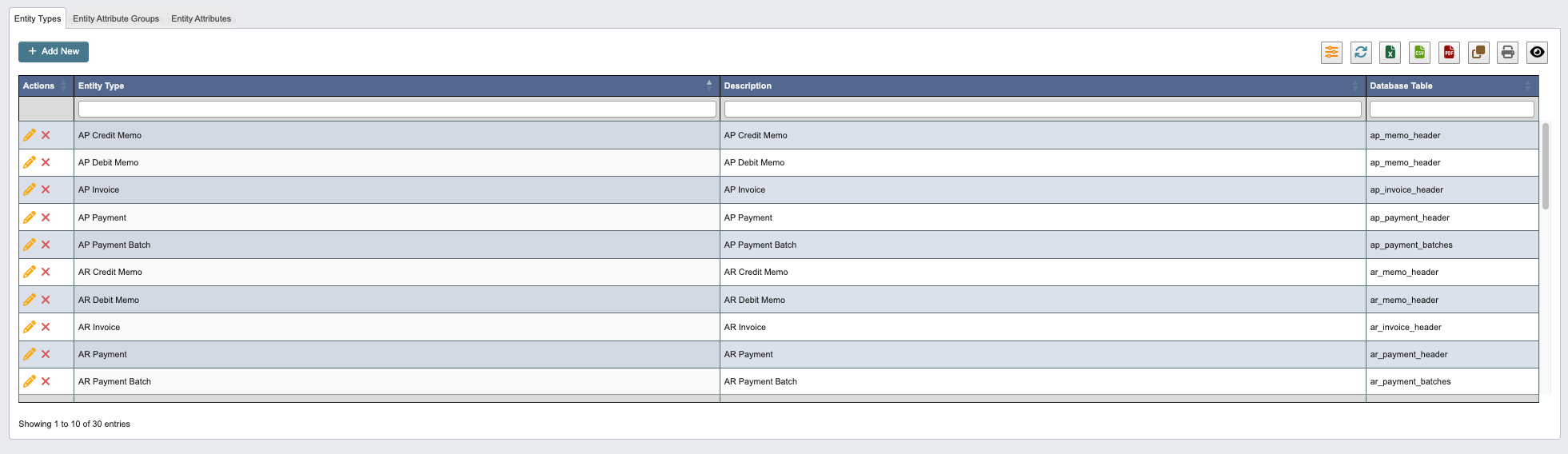
Add a New Entity Type
-
Click
+ Add Newto create a new Entity Type.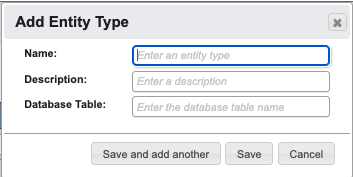
-
Enter the following Entity Type details:
Name: Enter an entity type.Description: Enter a description.Database Table: Enter the database table name.
-
When you have filled in the details, click:
Save and add anotherto add another Entity Type.Saveto save the details and go back to the table.Cancelto close the window and go back to the table.
Entity Attribute Groups

Add a New Entity Attribute Group
-
Click
+ Add Newto create a new Entity Attribute Group.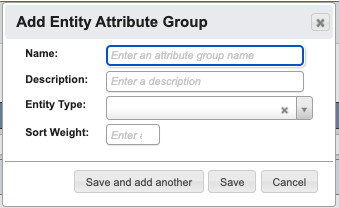
-
Enter the following Entity Attribute Group details:
Name: Enter an attribute group name.Description: Enter a description.Entity Type: Select the entity type.Sort Weight: Enter a sort weight.
-
When you have filled in the details, click:
Save and add anotherto add another Entity Attribute Group.Saveto save the details and go back to the table.Cancelto close the window and go back to the table.
Entity Attributes
The Entity Attributes tab defines specific attributes that can be assigned to entities within the system. These attributes provide additional data fields for different entity types and are organized within attribute groups.Add New Entity Attribute
-
Click
+ Add Newto create a new Entity Attribute.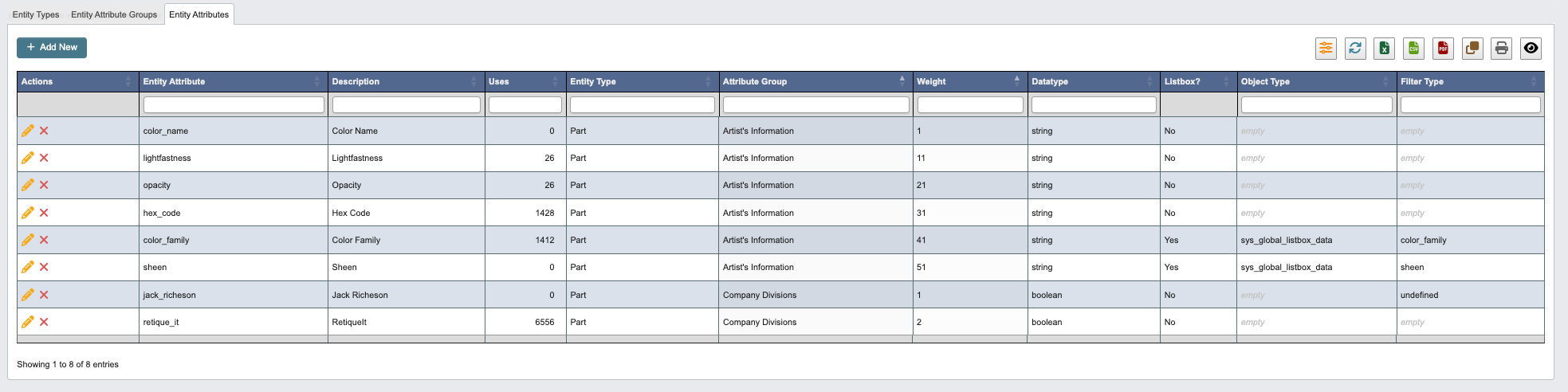
-
Enter the following Entity Attribute details:
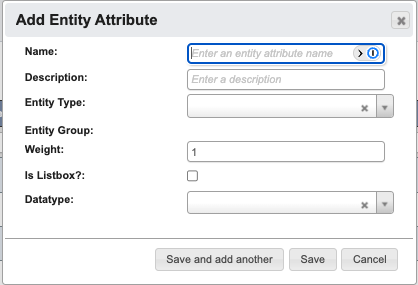
Name: Enter the attribute name.Description: Enter a description of the attribute.Entity Type: Select the entity type this attribute applies to.Entity Group: Select the attribute group this attribute belongs to.Weight: Enter a sorting value that determines the order in which the item appears. Lower weights appear first (e.g., a weight of 10 displays before 20).Is Listbox?: Check if this attribute should display as a dropdown list.Datatype: Select the data type for this attribute from the dropdown.
-
When you have filled in the details, click:
Save and add anotherto add another Entity Attribute.Saveto save the details and go back to the table.Cancelto close the window and go back to the table.