Overview
The Accounting → Accounts Payable submodule provides comprehensive tools for managing vendor invoices, payments, and accounts payable operations within DASH. The system integrates with purchase orders and receiving records to create complete audit trails from purchase request through payment. This submodule is used by accounting personnel, finance managers, and operations staff who need to process vendor invoices, track payments, manage payment workflows, and maintain accurate accounts payable records. The Accounts Payable (A/P) submodule provides several tabs for managing A/P operations:- Dashboard: Overview of current A/P status and key metrics.
- Open A/P: View and manage outstanding payables.
- Invoices: Process and manage vendor invoices with PDF upload capability.
- Debit/Credit Memos: Handle adjustments and corrections.
- Payments: Process payment batches and manage payment methods.
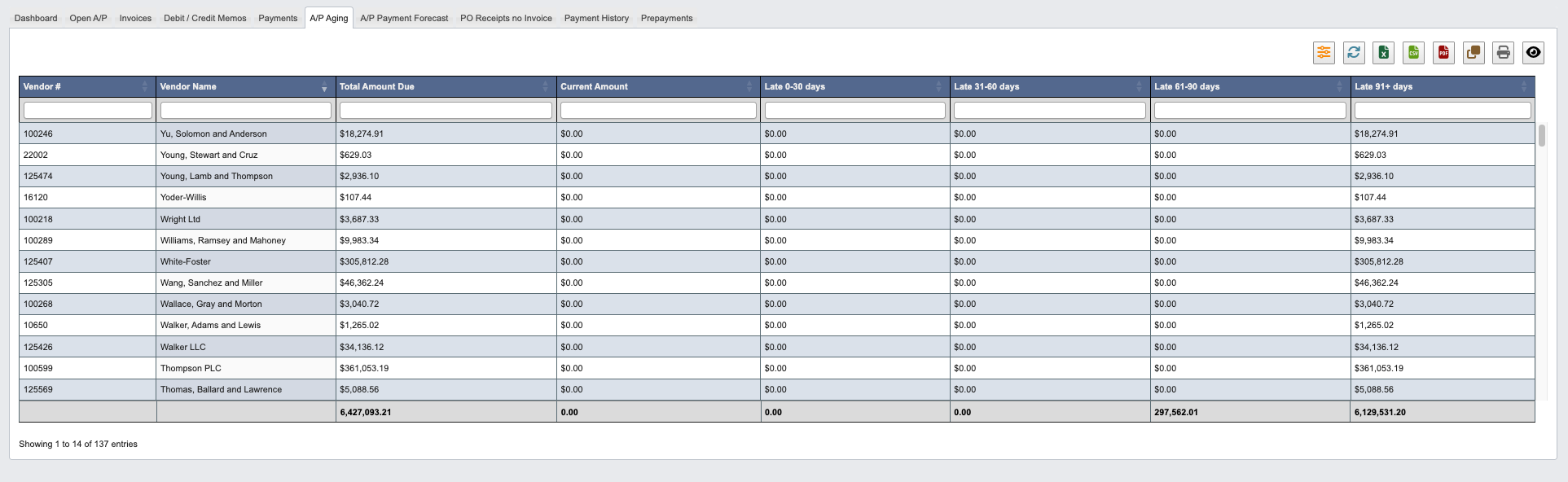
- A/P Aging: Monitor aging of outstanding payables.
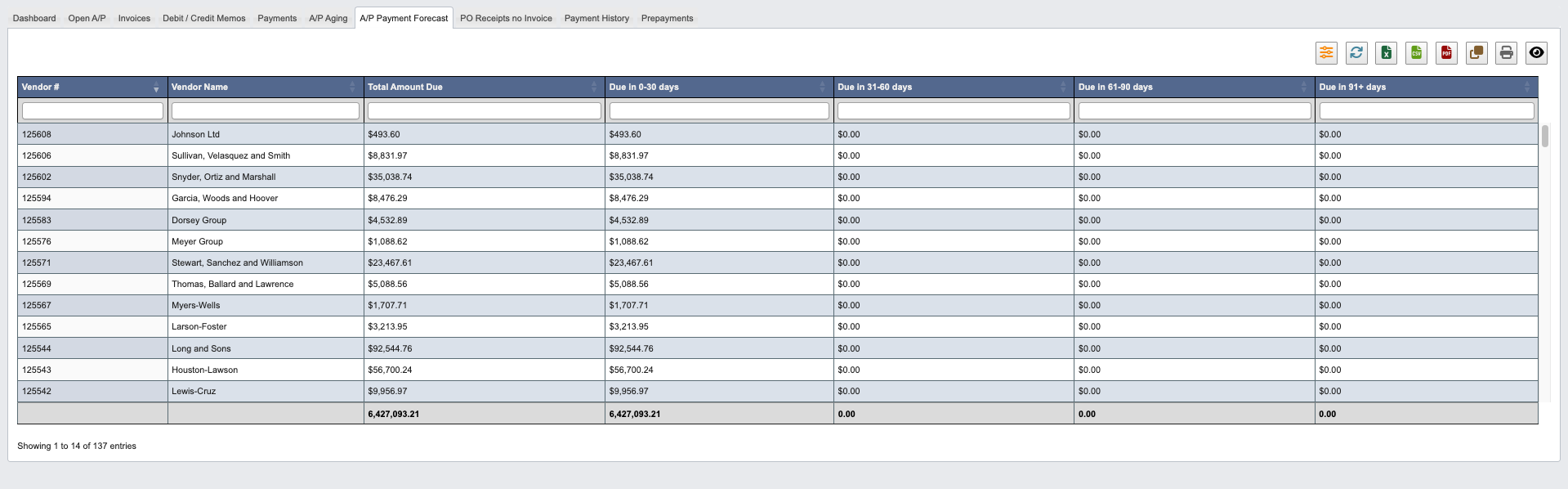
- A/P Payment Forecast: Plan future payment requirements.
- PO Receipts no Invoice: Track received goods awaiting invoices.
- Freight Accrual: Accrue freight-out expense for shipments not yet invoiced by their carrier.
- Payment History: Review completed payment transactions.
- Prepayments: Manage advance payments to vendors.
Dashboard
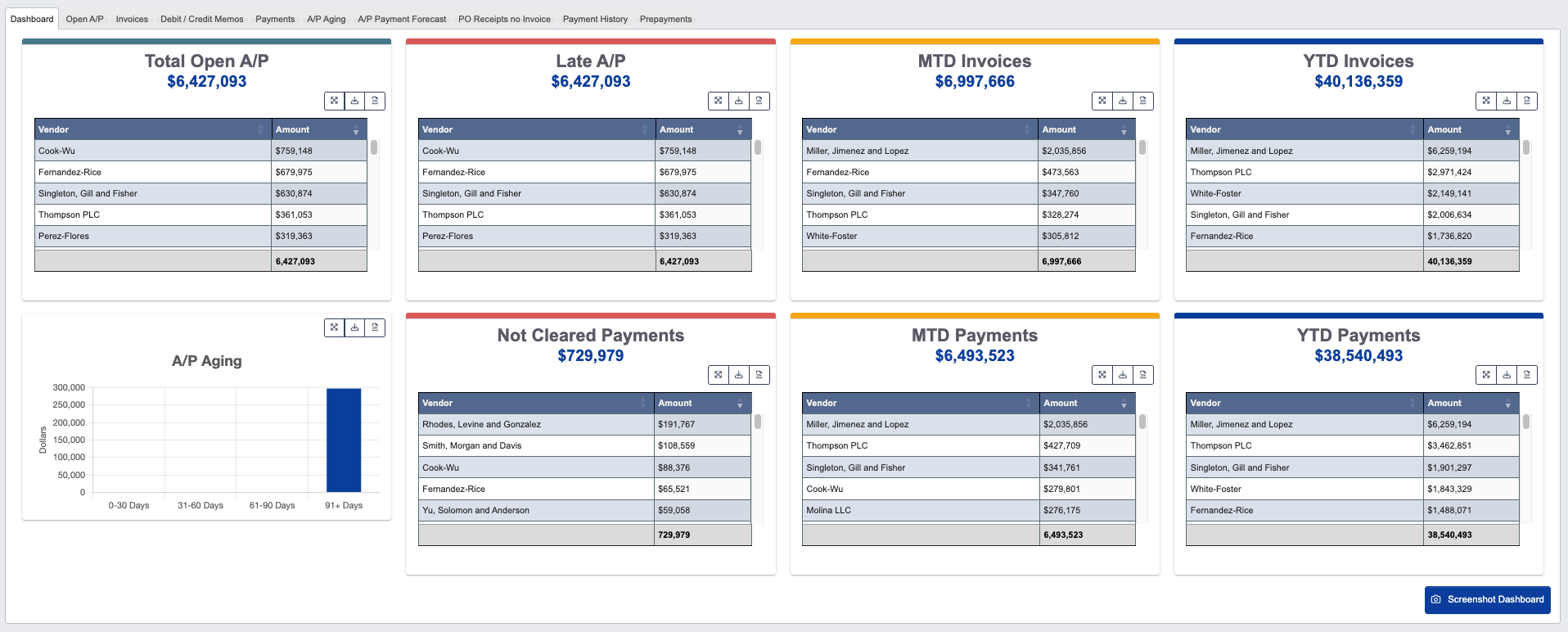
- Click
Screenshot Dashboardto capture the current dashboard view for reporting or documentation purposes.
Open A/P
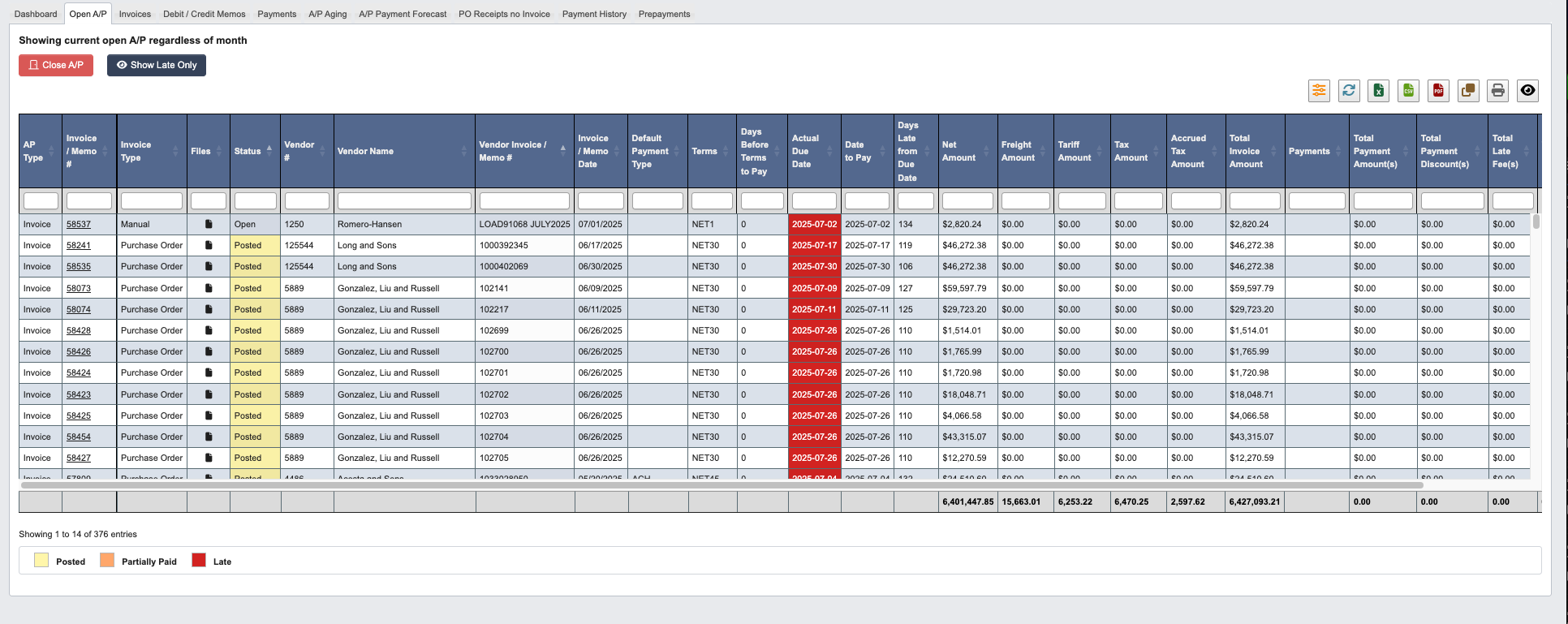
- Click
Close A/Pto mark selected payables as closed. - Click
Show Late Onlyto filter and display only overdue payables.
Invoices
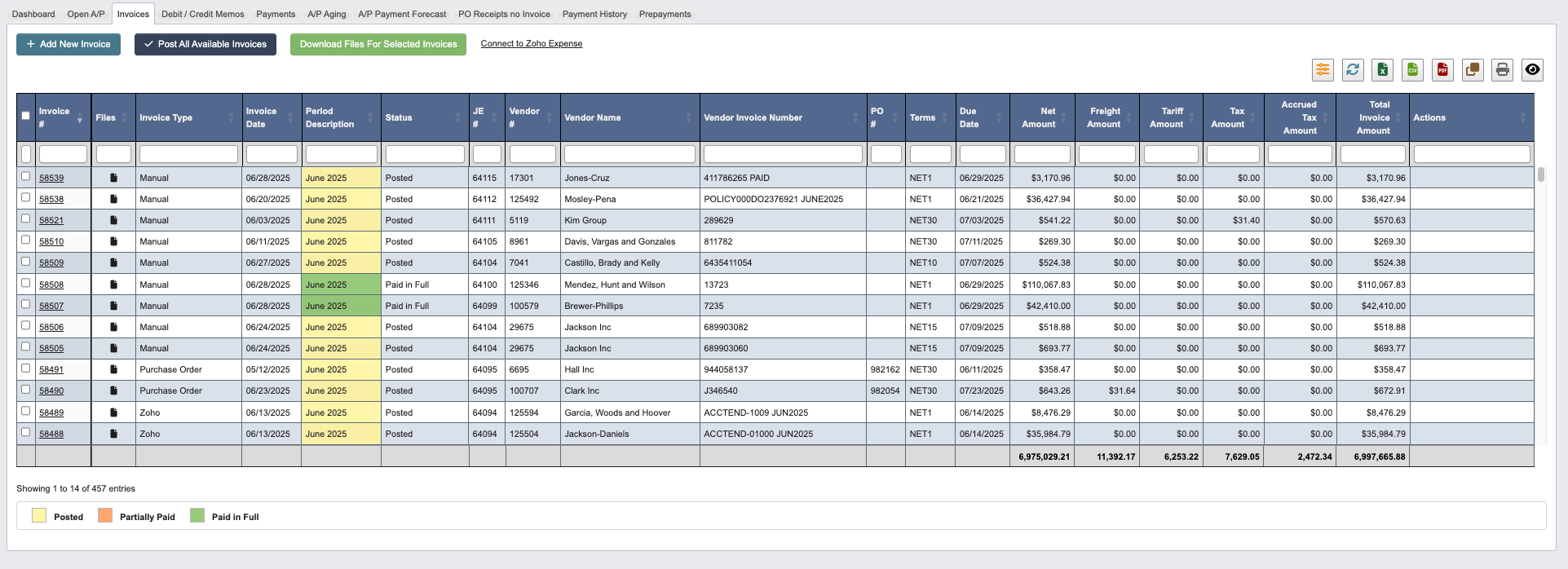
- Click
+ Add New Invoiceto begin processing a new vendor invoice. - Click
Post All Available Invoicesto process all ready invoices in batch. - Select invoices using checkboxes, then click
Download Files For Selected Invoicesto retrieve associated documents. - Use
Connect to Zoho Expenselink for integration with expense management systems.
Manual Accounting Period Override
When you create aManual A/P invoice, DASH normally derives the accounting period from the Invoice Date. If the invoice date belongs to an earlier period but today’s calendar date is already in a later A/P period, DASH shows an Accounting Period override field beneath Invoice Date.

- Leave
Accounting Periodblank to keep the default date-based period assignment. - Use the override only when you need the invoice to post into the currently available later period while preserving the original vendor invoice date.
- The dropdown is limited to the current calendar month period that is one step ahead of the currently open A/P period.
- Saved invoices that use this override are flagged in the
Period Overridecolumn, and existing invoices show aManual Period Overridealert when reopened.
Linked Debit / Credit Memos
When you open a saved invoice, aDebit / Credit Memos section (between Payments and Files) lists every memo line linked to that invoice, including the memo type, status, reason, and amount.

- Click a
Memo #to open the memo. - If the invoice was created from a purchase order, the same memos also appear in the purchase order’s
Debit / Credit Memossection.
Debit / Credit Memos
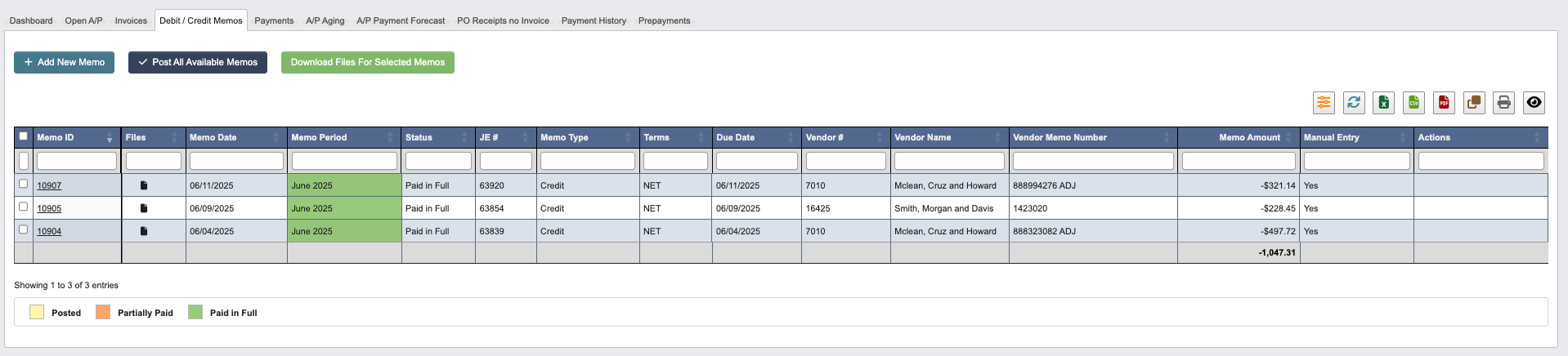
- Click
+ Add New Memoto create adjustments for vendor accounts. - Click
Post All Available Memosto process all ready memos in batch. - Select memos using checkboxes, then click
Download Files For Selected Memosto retrieve supporting documentation
Linking Memos to Invoices
Each memo line has anInvoice # dropdown listing the vendor’s A/P invoices; some reason codes require an invoice reference. Linking a memo line to an invoice makes the memo visible in two additional places:
- On the invoice itself, in its
Debit / Credit Memossection. - On the purchase order the invoice was created from, in the PO’s
Debit / Credit Memossection.
Payments
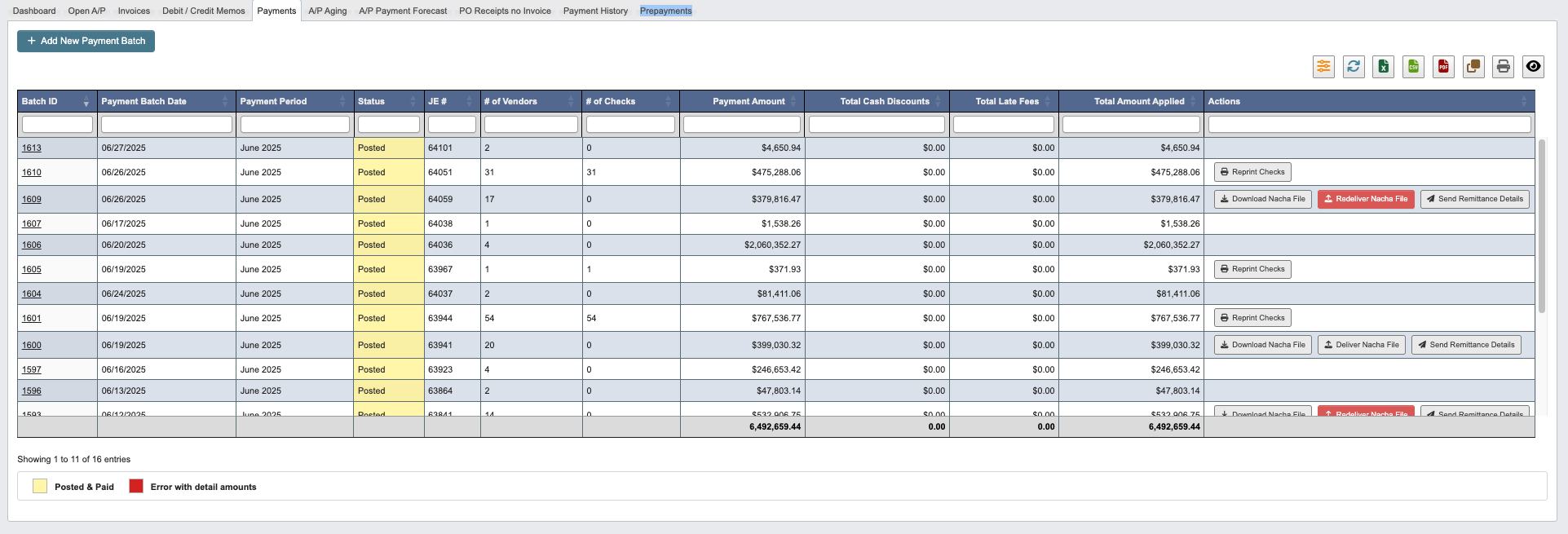
- Click
+ Add New Payment Batchto initiate payment processing for selected vendors.
Payment Actions
The Actions column provides several payment management options:Reprint Checks: Generate replacement checks for lost or damaged payments.Download Nacha File: Retrieve ACH payment files for electronic transfers.Redeliver Nacha File:Resend ACH files to banking systems.Send Remittance Details: Transmit payment details to vendors.
A/P Aging
A/P Payment Forecast
PO Receipts no Invoice
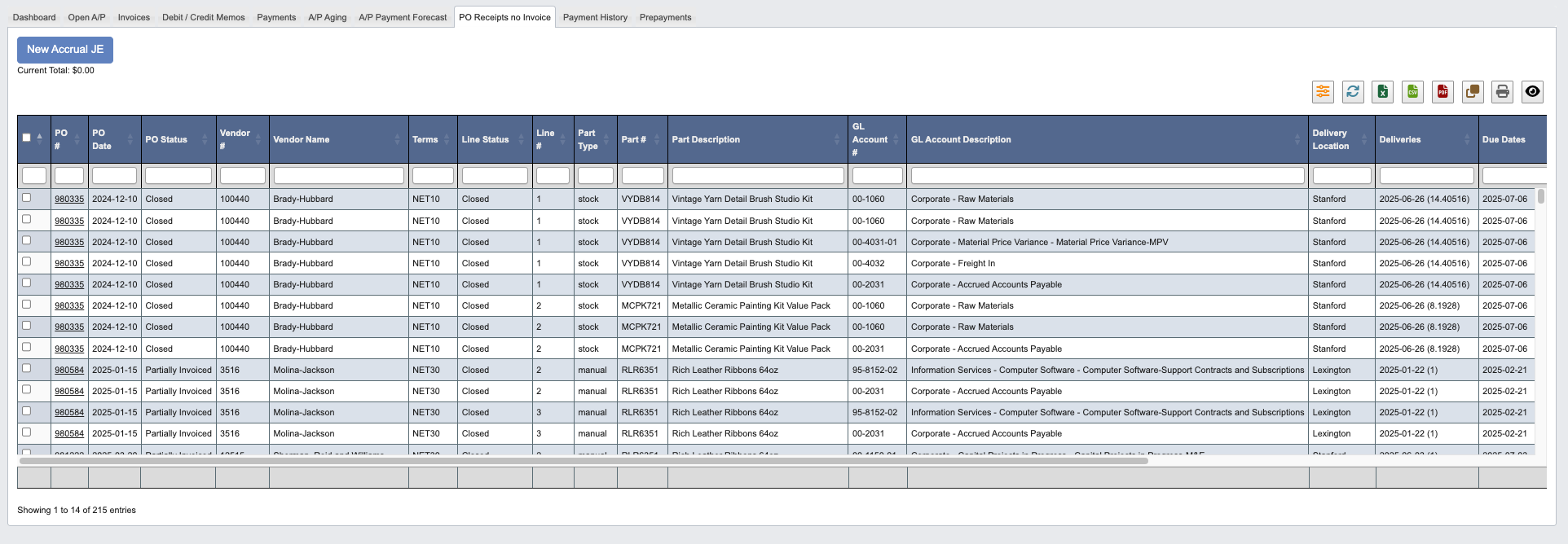
- Click
New Accrual JEto create journal entries for accrual purposes. First, select items in the datatable using the checkbox or by clicking on a row.
Freight Accrual
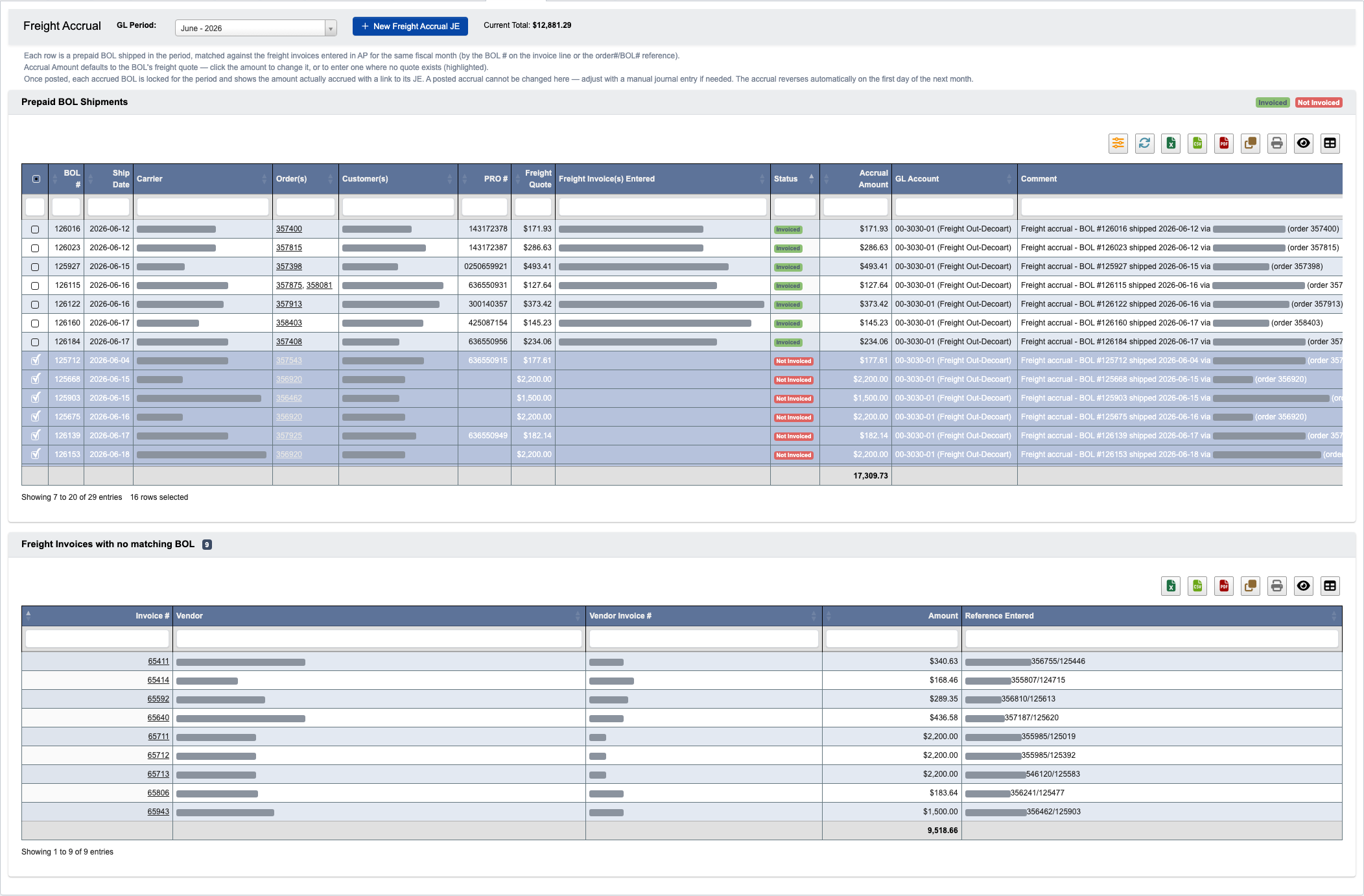
How invoices match to BOLs
A freight invoice line counts as covering a BOL when either:- The invoice line’s
BOL #field points at the BOL (see Linking freight invoices to BOLs below), or - The line’s Item #, description, or comment contains the
order#/BOL#reference convention (for exampleDOLLARAMA - 353027/123862), matched by the BOL number’s last digits. This keeps history and existing entry habits working without any change.
Reviewing a fiscal month
- Choose the
GL Periodto accrue. It defaults to the current open GL period, and the grid reloads whenever you pick a different month. - Each row shows the BOL number (last six digits), ship date, carrier, the order(s) and customer(s) on the BOL, the PRO number, and the quoted freight amount.
- The
Statuscolumn showsInvoiced(with the matching vendor invoice and amount inFreight Invoice(s) Entered) orNot Invoiced. Once you post an accrual, the covered BOLs also show anAccruedbadge with a link to the journal entry. Not InvoicedBOLs arrive pre-selected. BOLs with no freight quote are never pre-selected — theirAccrual Amountcell is highlighted yellow until you enter an amount manually.- Use the filter button to hide invoiced and already-accrued BOLs.
Not Invoiced and gets accrued.
Setting accrual amounts
TheAccrual Amount column defaults to each BOL’s freight quote and can be edited directly in the grid — click the cell and type the amount. The Current Total above the grid always reflects the selected rows’ accrual amounts.
Posting the accrual
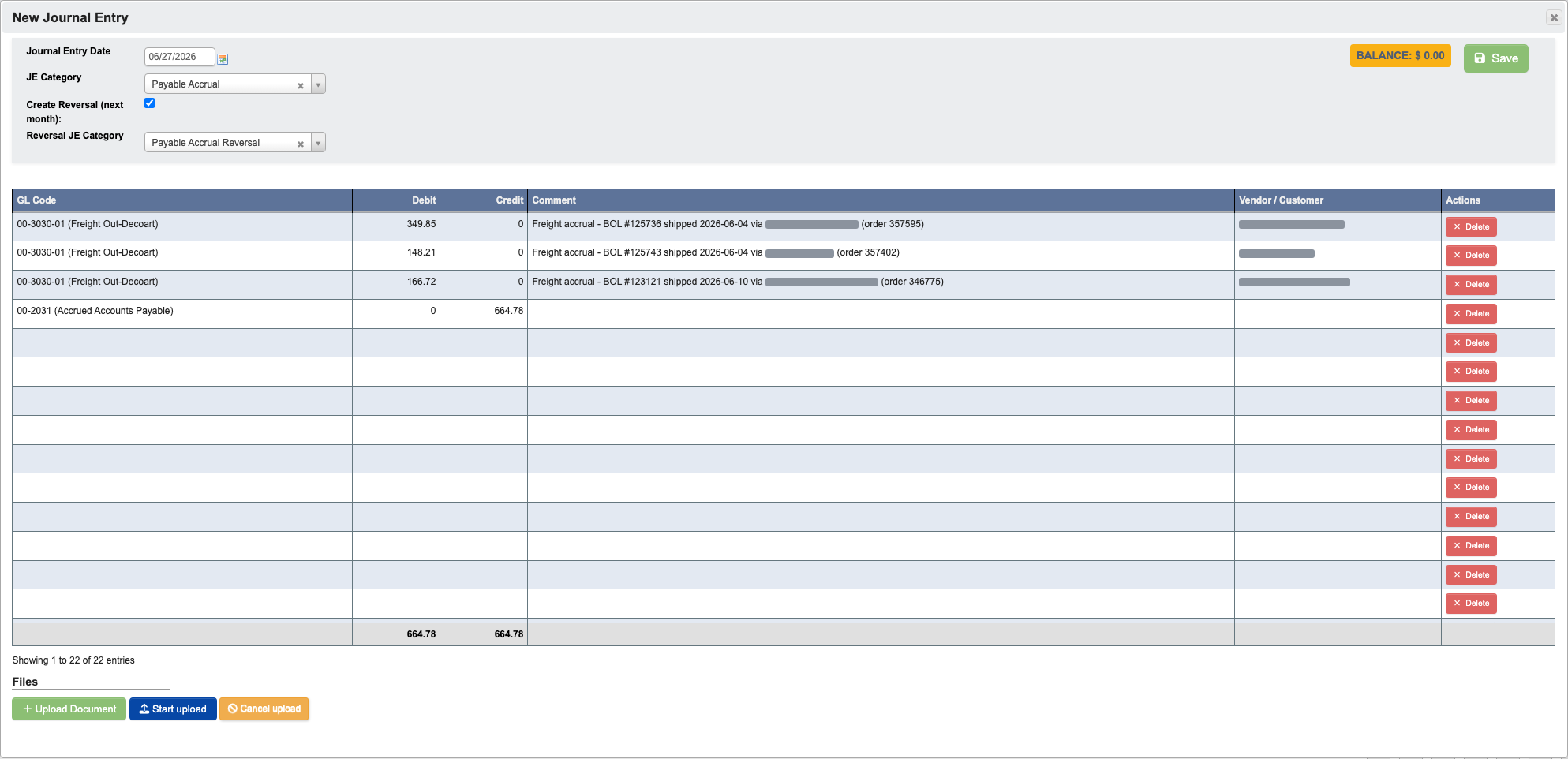
- Select or deselect BOLs with the checkboxes until the
Current Totalmatches what you want to accrue. - Click
New Freight Accrual JE. The standard journal-entry grid opens pre-filled with one freight-out expense debit per BOL (using the order’s freight-out GL account — when a BOL covers several orders, the full quoted amount goes on one line coded to the first order’s account, and the comment lists every order) and a single balancing credit to the Accrued Accounts Payable account — the same accounts andPayable Accrual/Payable Accrual ReversalJE categories used by the PO Receipts no Invoice accrual. Amounts and accounts remain editable in the JE grid. - The JE date is the last day of the selected period, and
Create Reversing Entryis pre-checked: posting also books the automatic reversal on the first day of the following period. - Review and save the journal entry.
Accrued — with the posted amount and a link to the JE — and they can no longer be selected, edited, or accrued a second time in the same month. A posted accrual cannot be changed from this tab; adjust it with a manual journal entry if needed. The accrual reverses automatically at the start of the next month, so the new month always starts fresh.
Because each accrual auto-reverses at the start of the next month, a BOL that is still uninvoiced next month simply gets accrued again — the new month starts fresh and nets to a single open accrual.
Linking freight invoices to BOLs

BOL # column. When entering a freight invoice, click the cell and type the last digits of the BOL number from the carrier’s invoice — DASH looks up the matching bill of lading (showing its carrier and ship date to confirm) and stores the link. Linked invoices match their BOL on the Freight Accrual tab exactly, with no reliance on the text reference, so prefer picking the BOL whenever the invoice covers one.
Payment History
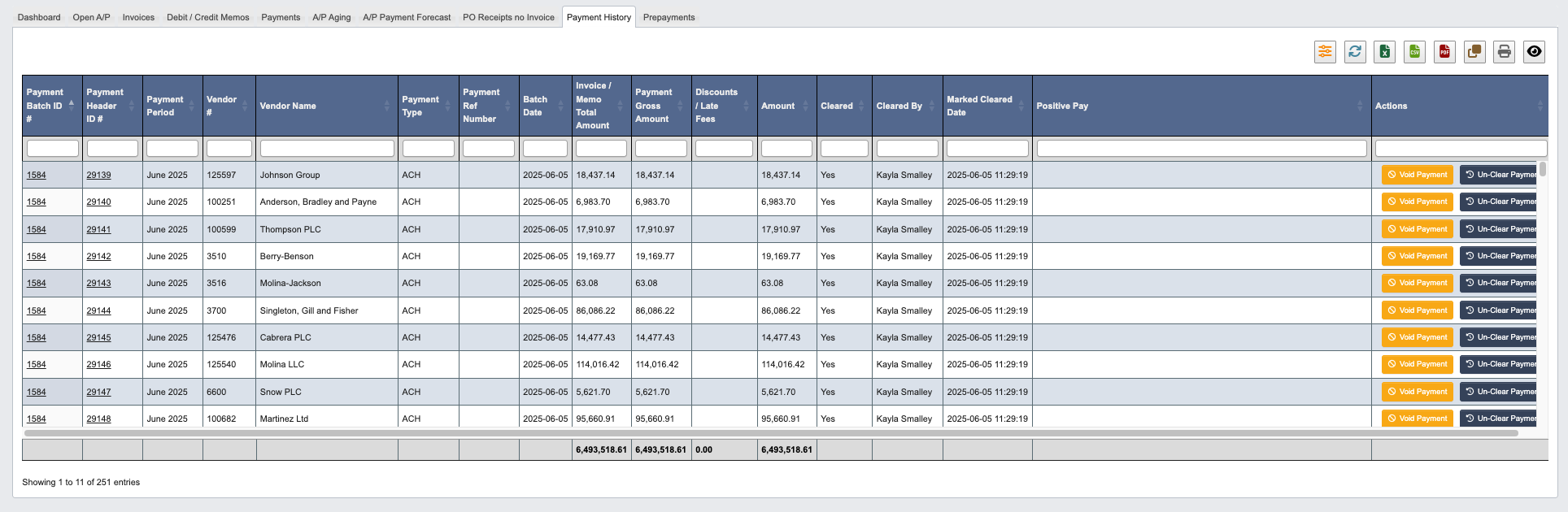
Payment History Actions
The Actions column provides options for payment corrections:Resend Remittance for Payment #...: Send the remittance details email again for the selected vendor payment.Void Payment: Cancel a payment that was processed in errorUn-Clear Payment: Reverse the clearing status of a payment
Prepayments
