Overview
The Accounting → Accounts Receivable submodule provides comprehensive tools for managing customer invoices, payments, and accounts receivable operations within DASH. The system integrates with order processing and shipping records to create complete audit trails from order fulfillment through payment collection. This submodule is used by accounting personnel, finance managers, customer service representatives, and operations staff. The Accounts Receivable (A/R) submodule provides several tabs for managing A/R operations:- Dashboard: Overview of current A/R status and key metrics.
- Open A/R: View and manage outstanding receivables.
- Invoices: Process and manage customer invoices.
- Debit/Credit Memos: Handle customer adjustments and corrections.
- Payments: Process customer payment batches and receipts.
- A/R Aging: Monitor aging of outstanding receivables.
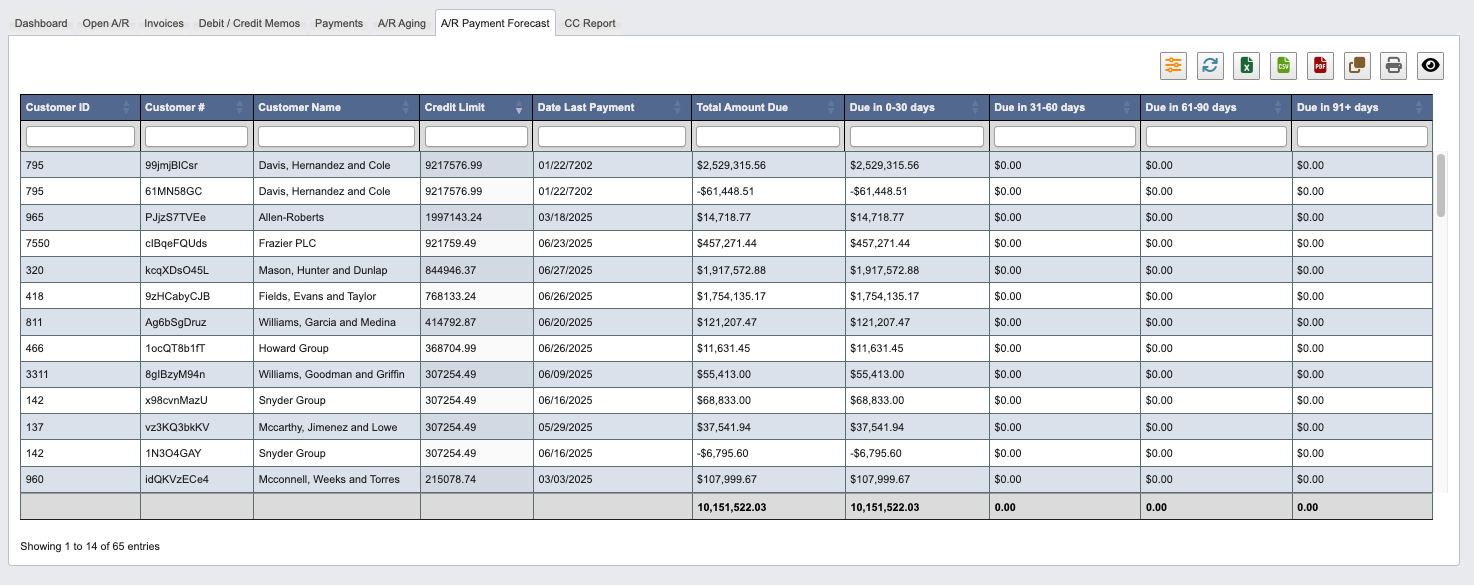
- A/R Payment Forecast: Project future payment receipts.
- CC Report: Manage and report on credit card transactions.
Dashboard
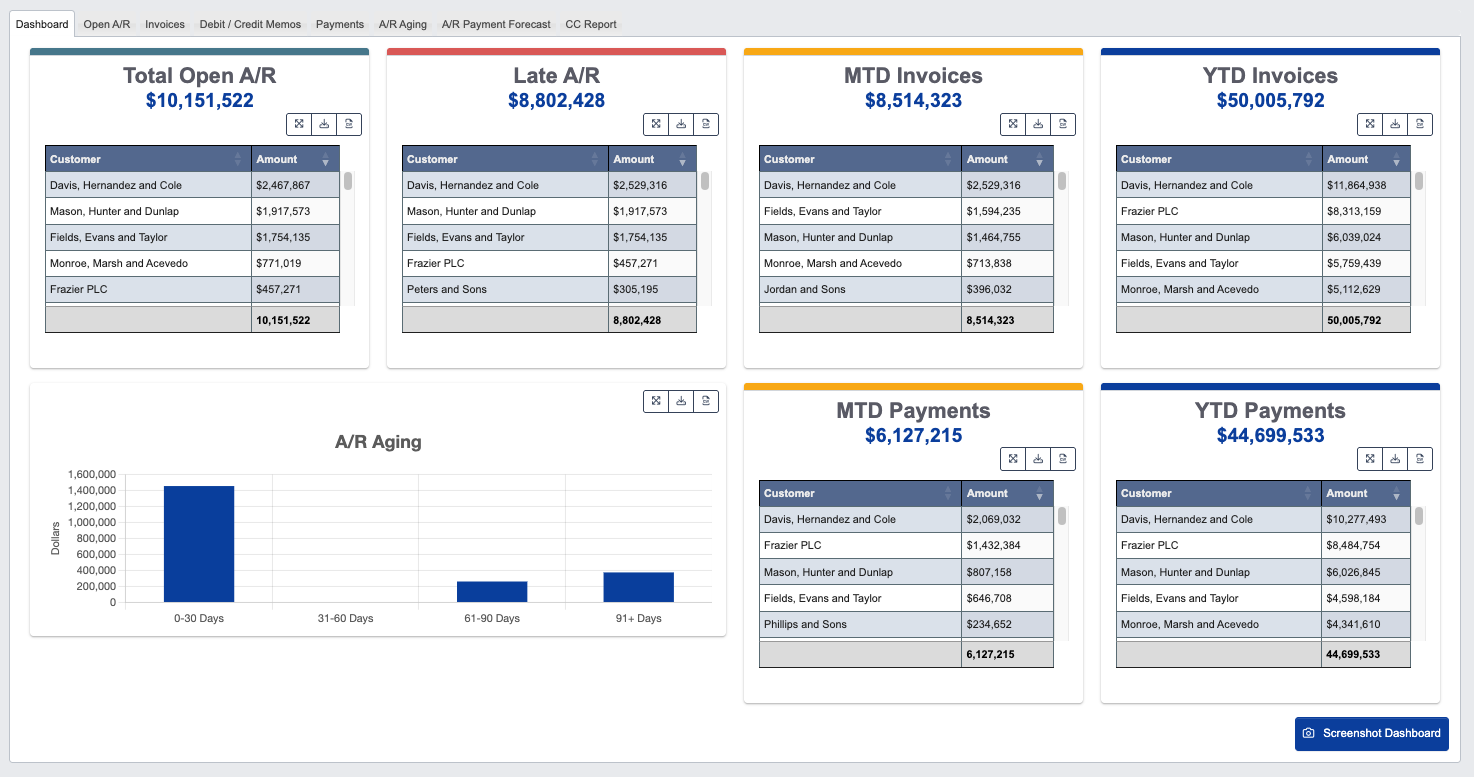
- Click
Screenshot Dashboardto capture the current dashboard view for reporting or documentation purposes.
Open A/R
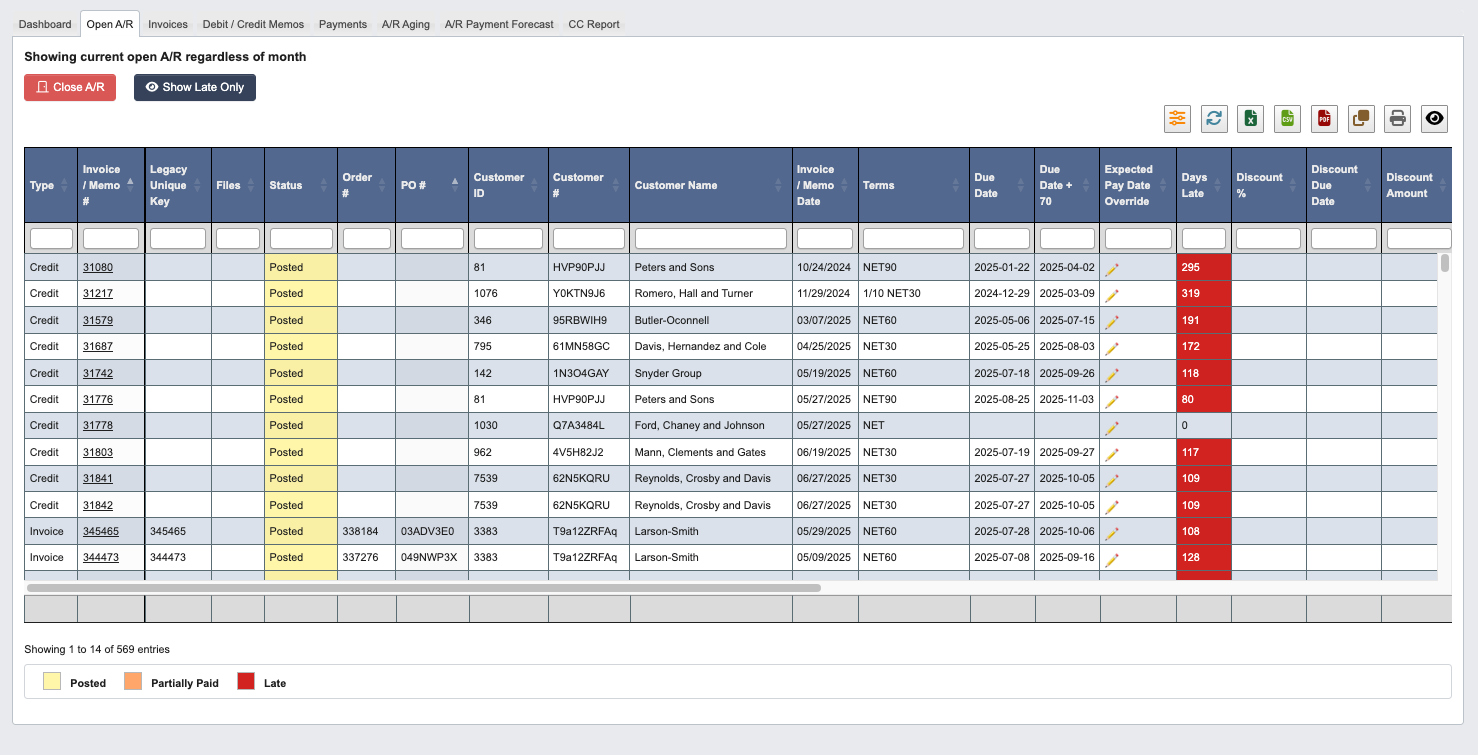
- Click
Close A/Rto mark selected receivables as closed when payments are received. - Click
Show Late Onlyto filter and display only overdue receivables.
Invoices
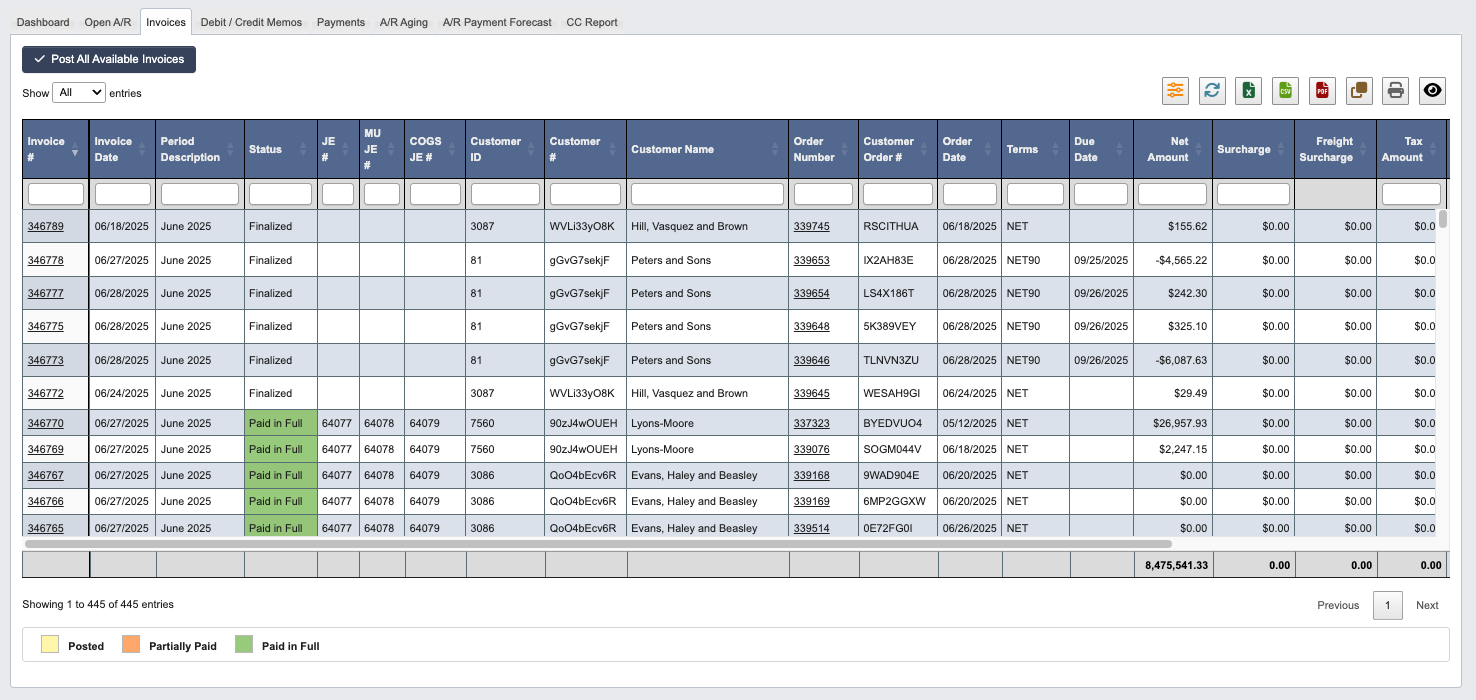
- Click
Post All Available Invoicesto process all ready invoices in batch.
EDI Invoices (810)
Customers configured for SPS Commerce EDI invoicing receive their invoices electronically as EDI 810 documents instead of emailed PDFs.- A customer is enabled by setting an SPS Commerce trading partner ID and checking
SPS Integrated 810on the customer’s EDI Info card. - When an invoice for an enabled customer is finalized, DASH automatically builds the 810 and transmits it to SPS Commerce. This applies to every finalized invoice for the customer, including orders entered manually — not just orders received electronically as EDI 850 purchase orders.
- Enabled customers are excluded from the standard emailed PDF invoice; the EDI 810 replaces it.
- Administrators can re-transmit a document with
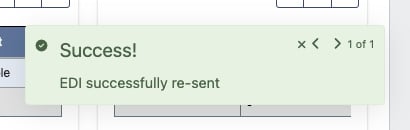
Re-send EDI Invoice, or rebuild the file without transmitting withRe-generate EDI Invoice. If a document cannot be generated or sent, the notification shows the exact reason.
Debit / Credit Memos
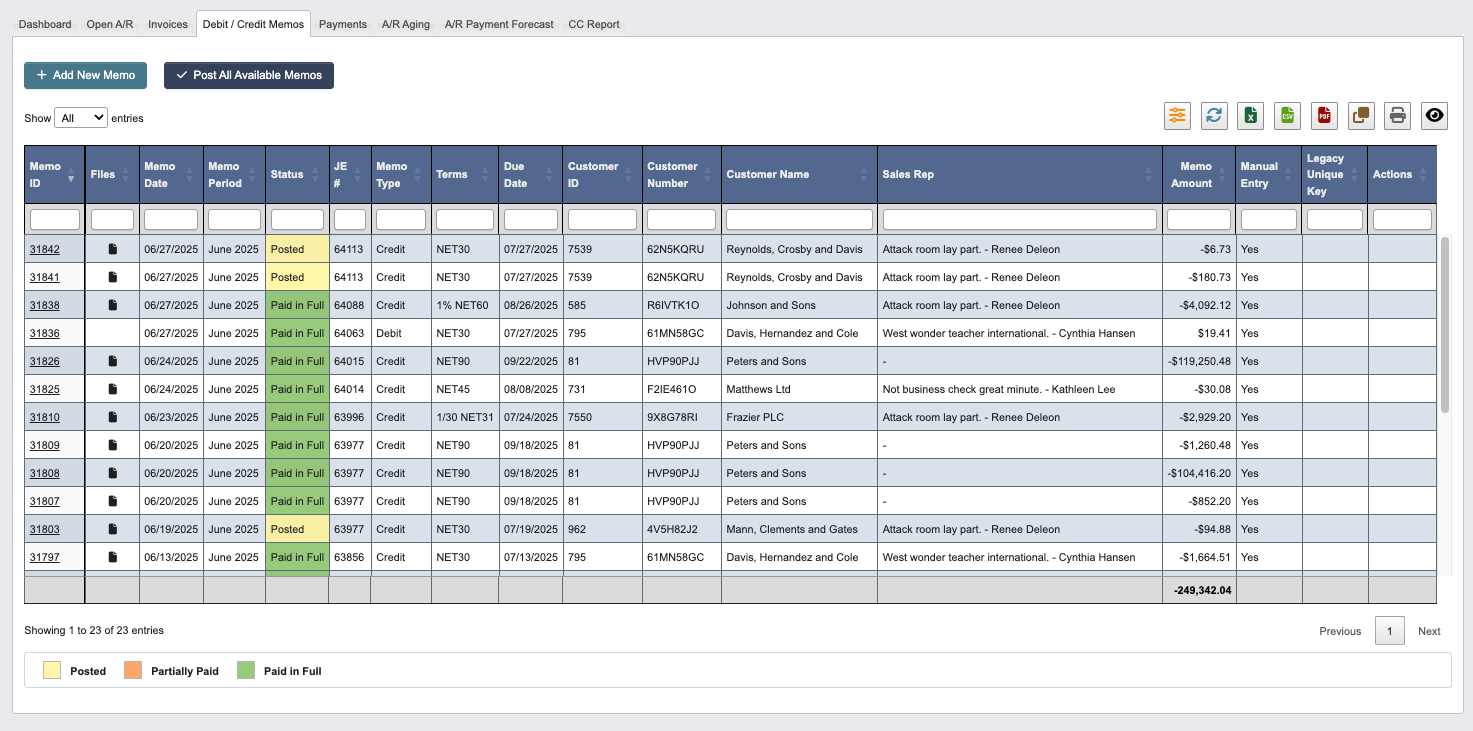
- Click
+ Add New Memoto create adjustments for vendor accounts. - Click
Post All Available Memosto process all ready memos in batch. - Open a posted or partially paid debit memo and click
Charge Cardto charge its remaining balance to the customer’s credit card. See Braintree Payments for the full workflow.
Payments
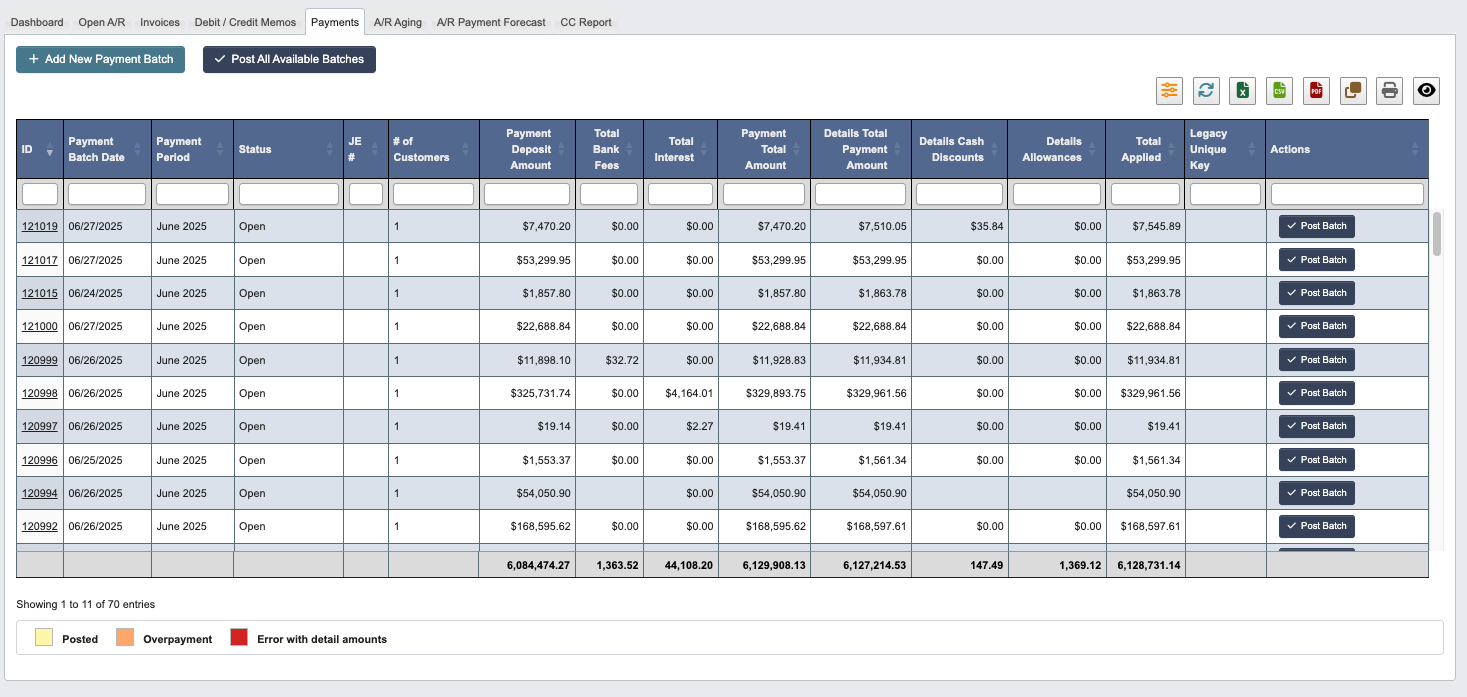
- Click
+ Add New Payment Batchto initiate payment processing for received customer payments. - Click
Post All Available Batchesto process all ready payment batches.
A/R Aging
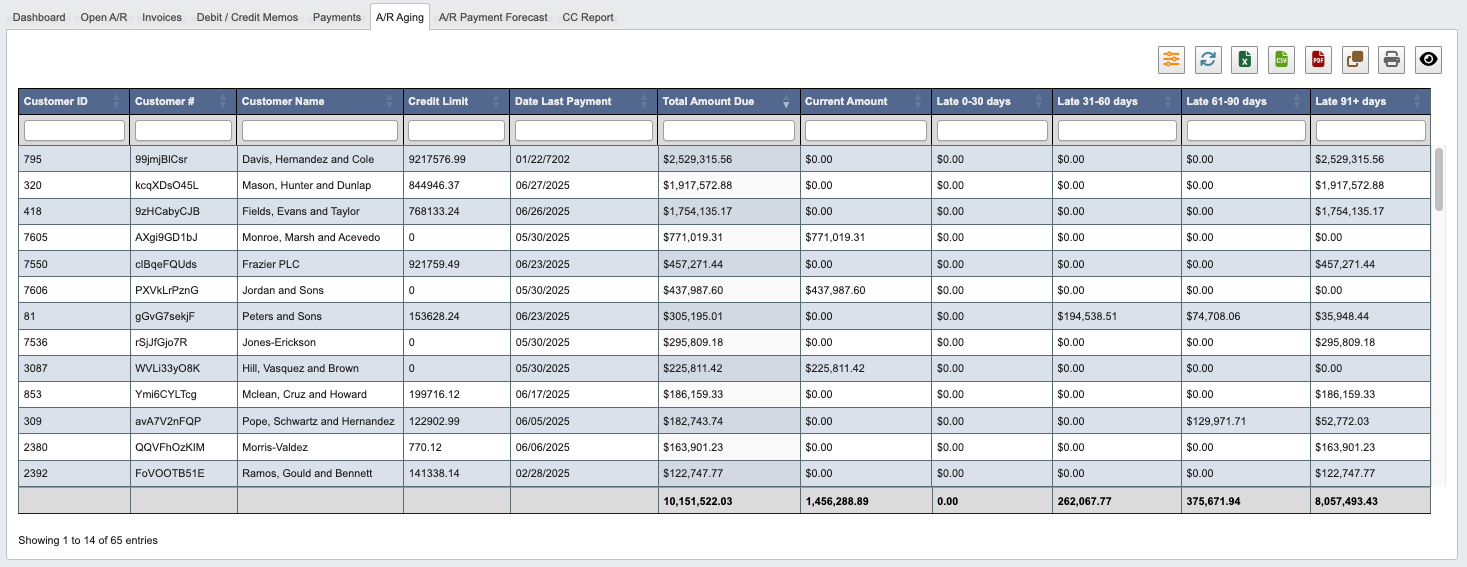
Past Due Notices (Dunning)
DASH automatically emails customers about past due invoices on an escalating schedule, with a copy of each invoice PDF attached. Notices are sent from the accounts receivable email group with the company logo, the same way emailed invoices and A/R statements are sent. The accounts receivable email group is also copied (CC) on every notice, so accounting has a record of what each customer received.
How it works:
- The daily scheduled job checks every open invoice and sends the highest notice the invoice qualifies for that has not already been sent, so each invoice receives each notice at most once. Multiple invoices for the same customer at the same escalation level are combined into one email with all invoice PDFs attached.
- Customers are automatically placed on credit hold once an invoice reaches 45 days past due — the hold is applied with the day 45, 60, or 75 notice (whichever fires first, including when that notice is skipped because the customer has no invoice contact email addresses) or when an invoice reaches the 90 day collections handoff. DASH sets the
Force Onto Credit Holdflag on the customer record and logs the change to the account’s transaction history. Clearing the hold after payment is a manual step on the customer record. - At 90 days past due, DASH stops emailing the customer and instead sends an internal notification listing the invoices ready for the collections handoff. Subscribe users to the
dunning_send_to_collectionsnotification from Administration → Manage Companies to receive it. - Every notice is recorded in the invoice’s transaction history, so the full communication log is visible on the invoice.
- After each nightly run, DASH sends a summary email listing every notice sent (customer, notice level, invoices, balance due and recipients), any notices that failed to send (they retry on the next run), any notices skipped because the customer has no invoice contact email addresses, each customer placed on credit hold (or whose hold could not be saved and needs to be placed manually), and any invoices 90+ days past due. If the collections notification could not be sent, the summary says why (for example, nobody is subscribed to it), and those invoices are included again on the next run. No summary is sent on nights with nothing to report. Subscribe users to the
dunning_notices_summarynotification from Administration → Manage Companies to receive it.
Send Past Due Noticesis unchecked on their record (see Manage Customers).- Their total A/R balance is zero or negative (for example, open credits exceed open invoices).
- They receive invoices electronically via EDI 810 instead of email.
dunning_notices_enabled company attribute is turned on, and the notice wording is stored in the global email notification templates, so both can be adjusted without a code change.
Dry run
To preview the schedule before turning it on, set thedunning_notices_dry_run company attribute to 1. Each night DASH works out exactly which notices it would send and emails only the summary, marked DRY RUN. Nothing is sent to customers, no credit holds are applied, and no collections notification goes out. Anything already listed in an earlier dry-run summary is not repeated, so the first summary shows the full backlog and each later one shows only that night’s new notices, the same as a live run would send. Dry runs keep this history separately from live runs, so every notice is still sent normally once the schedule goes live. Dry run takes priority over dunning_notices_enabled: while it is 1, no customer emails are sent even if the schedule is enabled. Set it back to 0 when you are ready to go live.
A/R Payment Forecast
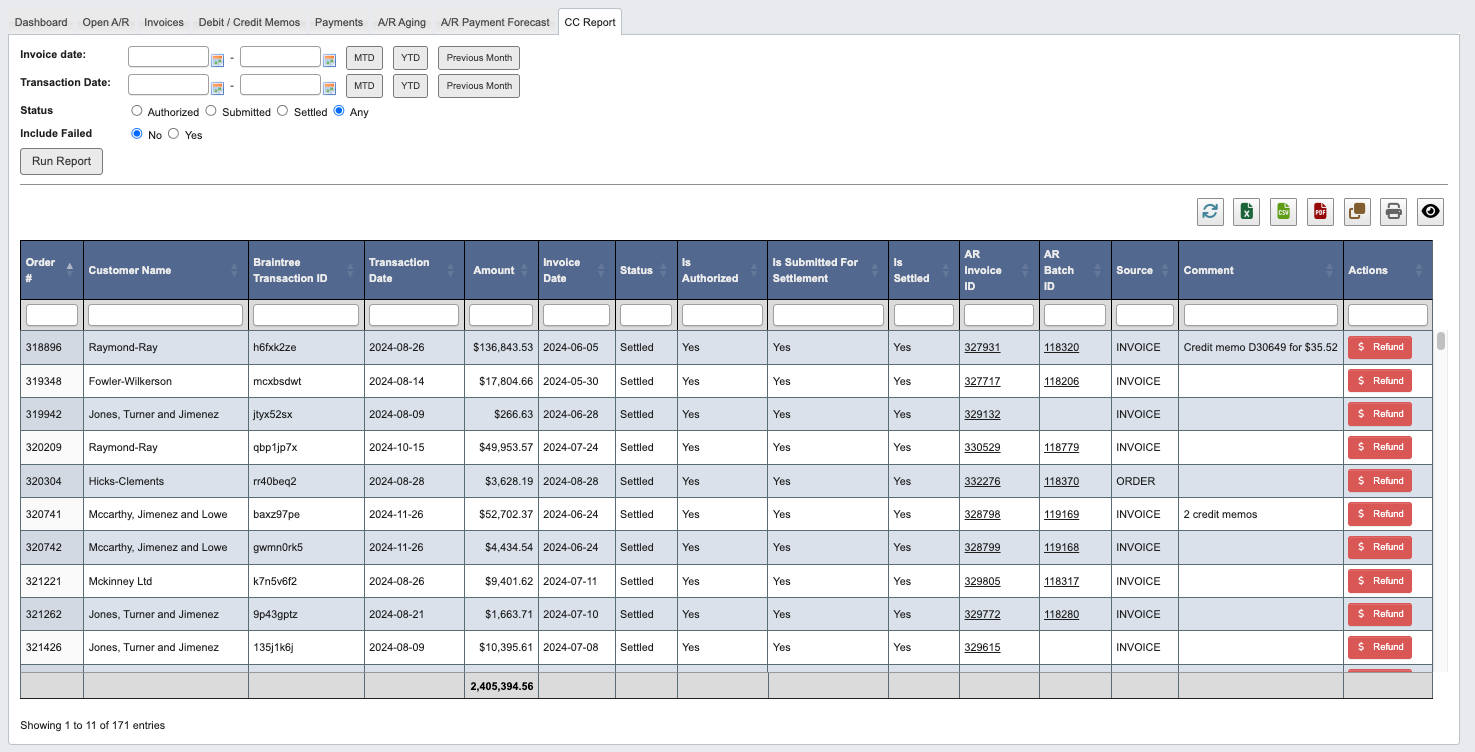
CC Report

Generating Credit Card Reports
To generate a credit card transaction report:-
Set the report parameters:
- Invoice Date: Select the date range for invoices to include.
- Transaction Date: Choose the date range for actual credit card transactions.
- Status: Filter by transaction status:
- Authorized: Transactions that have been approved but not yet settled.
- Submitted: Transactions submitted for processing.
- Settled: Completed transactions with funds transferred.
- Any: Include all transaction statuses.
- Include Failed: Choose Yes to include failed transactions or No to exclude them.
-
Click
Run Reportto generate the credit card transaction report.