Vendor Toolbar

-
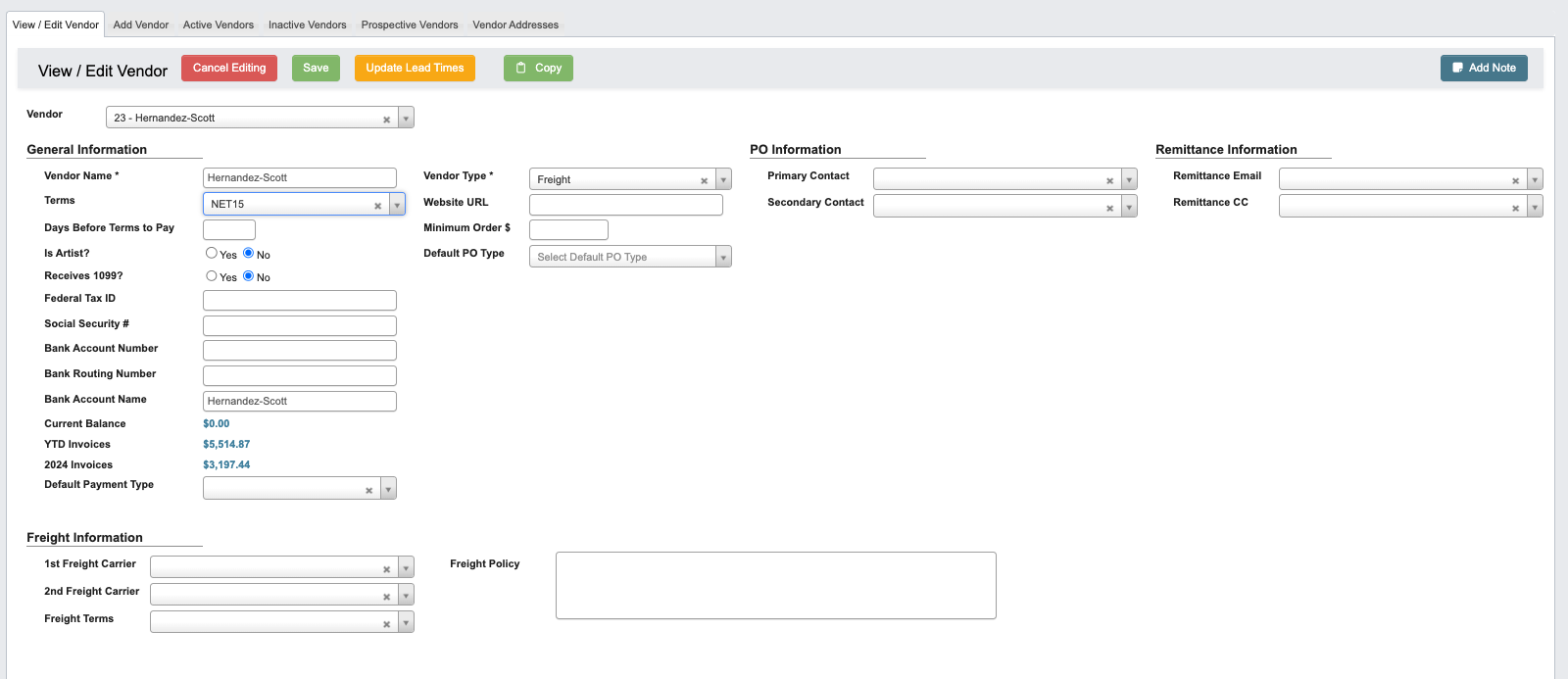
Edit: Access the Edit Vendor Toolbar. -
Copy: Copies all contacts, addresses, and price lists from the currently displayed vendor record into a new vendor profile.-
This is useful when a vendor needs to be set up again under a new name or tax designation. Instead of re-entering all the same details manually, you can copy them into the new record and make only the necessary changes.

-
This is useful when a vendor needs to be set up again under a new name or tax designation. Instead of re-entering all the same details manually, you can copy them into the new record and make only the necessary changes.
-
Add Note: Attaches a note to a Vendor. You can optionally choose an expiration date for the note.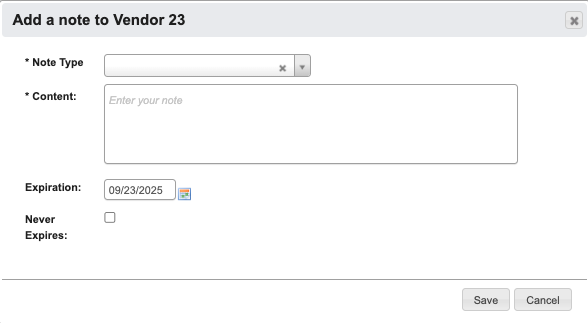
Edit Vendor Toolbar

-
Cancel Editing: Cancel editing. -
Save: Save changed to Vendor. -
Update Lead Times: To update all lead times for all vendor items.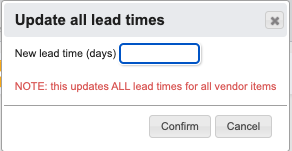
Vendor Information
General Information
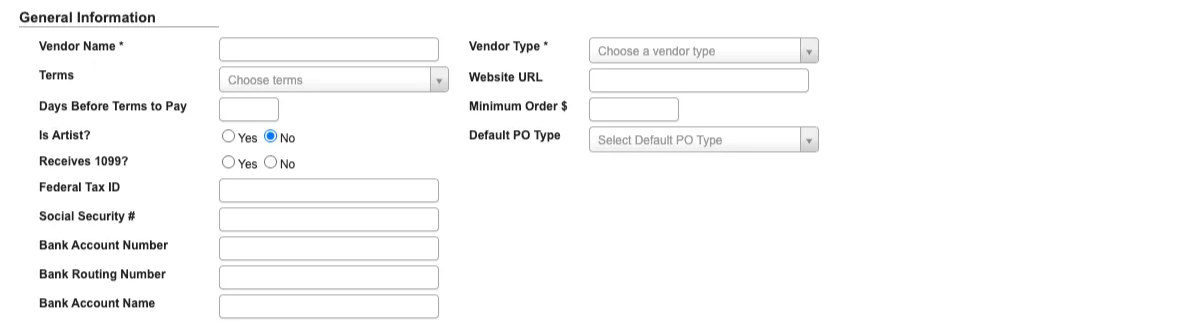
Vendor Name: Required field that identifies the vendor across the system.Terms: Defines the vendor’s payment terms (e.g., Net 30, Net 60).Days Before Terms to Pay: Indicates how many days in advance the system should schedule payment before the due date.Is Artist?(Yes/No): Flags vendors classified as artists, allowing for separate reporting and treatment.Receives 1099?(Yes/No): Marks whether the vendor should be included in year-end 1099 tax reporting.Federal Tax ID / Social Security #: Captures tax identification for compliance and reporting.Bank Account Number / Routing Number / Account Name: Stores vendor payment details for ACH or direct deposit.Vendor Type: Required classification field used for grouping and reporting vendors by category.Website URL: Stores the vendor’s website for reference.Minimum Order $: Defines the minimum purchase amount required for an order to be placed with the vendor.Default PO Type: Sets the standard purchase order type (service or standard) for this vendor.
PO Information
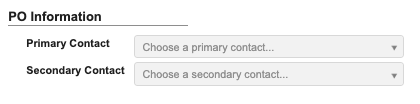
Primary Contact: The main point of contact for receiving POs.Secondary Contact: A backup contact in case the primary is unavailable.
Remittance Information
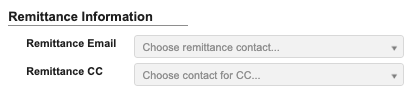
Remittance Email: The primary email address for remittance details.Remittance CC: Additional recipients for remittance notifications.
Freight Information

1st Freight Carrier / 2nd Freight Carrier: Preferred carriers used when routing shipments.Freight Terms: Defines who is responsible for shipping costs (e.g., prepaid/no charge, collect, prepaid/add).Delivery Fee: Base freight amount that preloads into Freight Total when this vendor is selected on a new purchase order. The PO amount remains editable and can be changed or removed before saving.Freight Policy: Captures vendor-specific rules or agreements governing freight and shipping.
Add Person
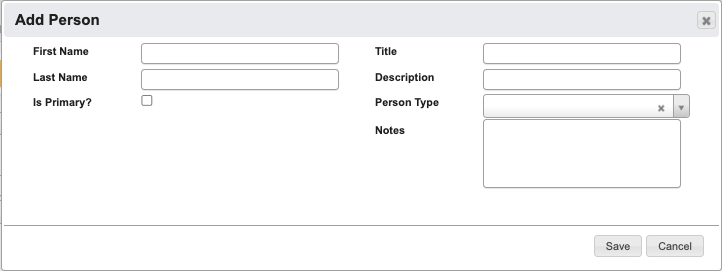
First Name(Required): Contact’s first name.Last Name: Contact’s last name.Is Primary: Check this box if this is the primary contact for the vendor.Title: Contact’s job title or role.Description: Additional details about the contact.Person Type(Required): Identifies the role type of the contact (e.g., Billing, Sales Rep).Notes: Any extra information helpful for working with this contact.
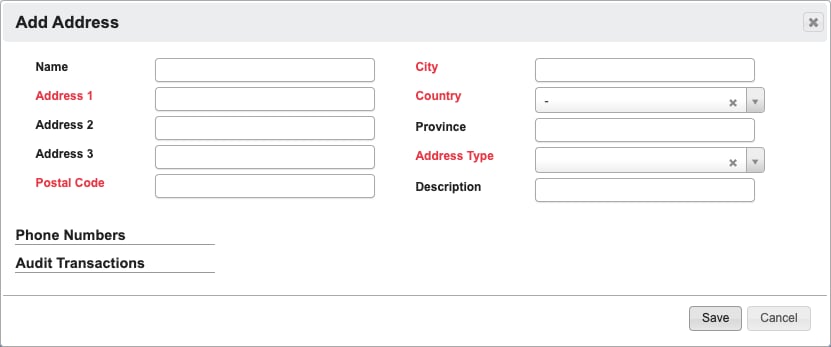
Add Address
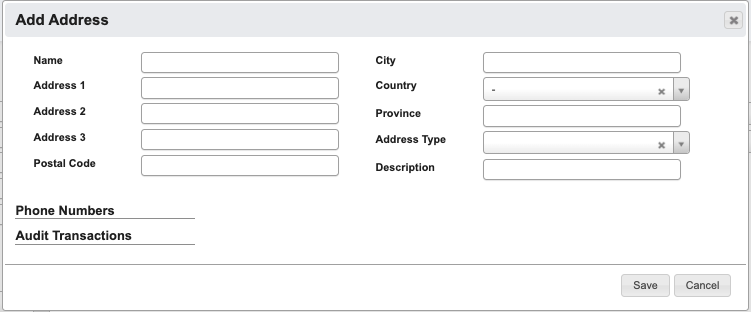
Name: Identifier for the address.Address 1(required): Primary street address.Address 2: Additional street information.Address 3: Additional street information.Postal Code(required): Postal or ZIP code.City(required): City of the address.Country(required): Country of the address.State/Province: For US addresses, aStateselection is required. For all other countries, the optionalProvincefield is shown instead.Address Type(required): Specifies the address purpose (e.g., Billing, Shipping).Description: Any other helpful details about the address.
Save, DASH highlights the missing fields in red and does not save the address.
Add Price List
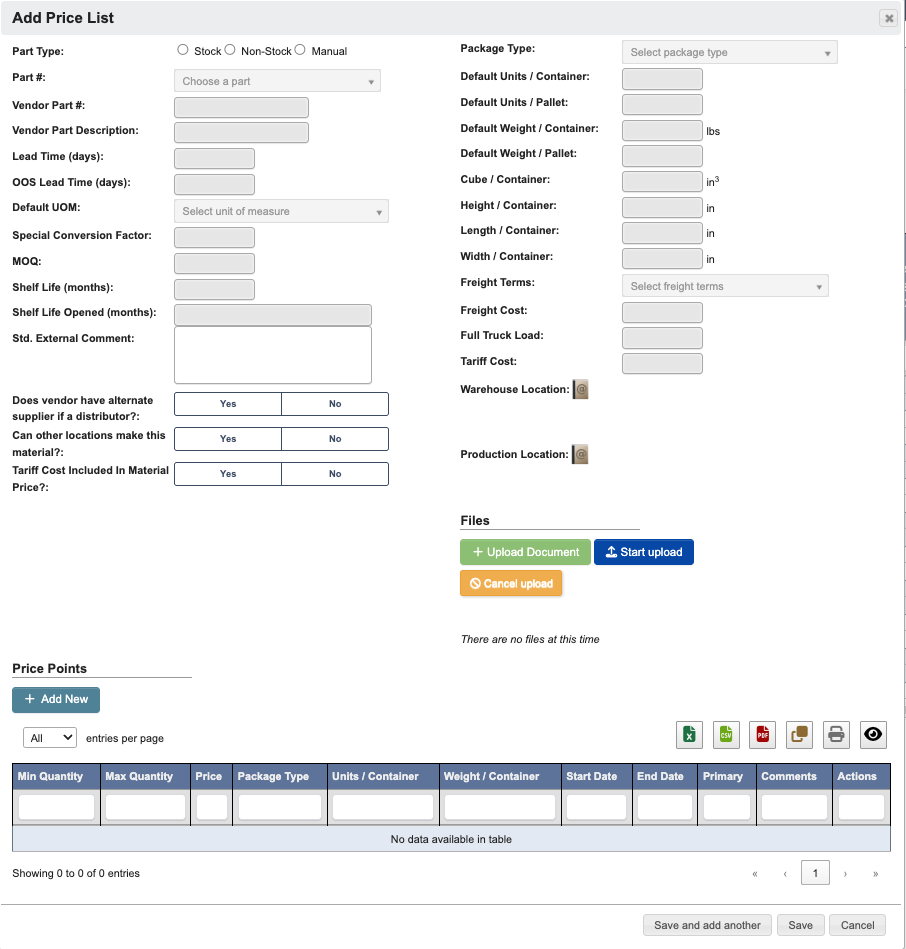
Part Type(Required): Choose a type of part being priced (Stock, Non-Stock, Manual).Part #: Internal part number.Vendor Part #(Required): Vendor’s part number.Vendor Part Description: Description of the part from the vendor.Lead Time (days)(Required): Expected lead time.OOS Lead Time (days): Lead time when out of stock.Default UOM: Default unit of measure.Special Conversion Factor: Conversion factor if applicable.MOQ: Minimum order quantity.Shelf Life (months): Shelf life unopened.Shelf Life Opened (months): Shelf life once opened.Std. External Comment: Standard external notes.Does vendor have alternative supplied if a distributor?(Yes/No)Can other locations make this material?(Yes/No)Tariff Cost included in material price?(Yes/No)Package Type: Packaging type for the part.Default Units / Container: Number of units per container.Default Units / Pallet: Number of units per pallet.Default Weight / Container: Weight of container in pounds.Default Weight / Pallet: Weight of pallet.Cube / Container: Volume of container in cubic inches.Height / Container: Height of container in inches.Length / Container: Length of container in inches.Width / Container: Width of container in inches.Freight Terms: Defines who is responsible for shipping costs (e.g., prepaid/no charge, collect, prepaid/add).Freight Cost: Vendor specific freight cost.Full Truck Load: Freight shipping method for large shipments that fill an entire truck.Tariff Cost: Vendor tariffs.Warehouse Location: Click theAddresses(”Book with @ symbol”) button to choose from the Vendor addresses to set the warehouse location. Click theAccept(”Green checkmark”) in theActionscolumn to select an address.Production Location: Click theAddresses(”Book with @ symbol”) button to choose from the Vendor addresses to set the production location. Click theAccept(”Green checkmark”) in theActionscolumn to select an address.Also create a Shipping address with the same details/Also create a Billing address with the same details: Available when adding a vendor address with theAddress Typeset toBillingorShipping. The checkbox label changes based on the selected address type so you can create the matching billing/shipping address from the same entry.Files: See this page for referencePrice Points: See the section below for how to add Price Points.
Add Price Points
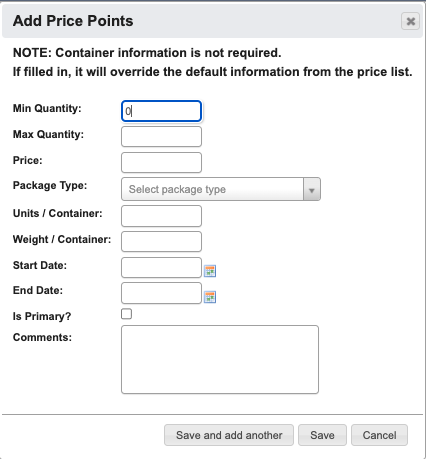
Min Quantity: Minimum quantity for this price point.Max Quantity: Maximum quantity for this price point.Price: Unit price for the specified range.Package Type: Packaging type for the part.Units / Container: Number of units per container.Weight / Container: Weight of container.Start Date: Effective date for the price point.End Date: Expiration date for the price point.Is Primary: Mark if this is the primary price point.Comments: Additional notes or comments about this price point.