Overview
The Shipping → Reports submodule helps you track order fulfillment performance, monitor selector productivity, and analyze customer shipping patterns. These reports support the shipping team’s weekly priority meetings and daily operations coordination. Shipping coordinators and logistics managers use these reports frequently to monitor picking performance, track customer shipments, and ensure quality control standards are met throughout the fulfillment process.How to Generate a Report
The Shipping reports give you different ways to analyze fulfillment operations and performance. Here are the four main report tabs you’ll see in this module:- Selector Tracking: Monitor individual selector performance and picking activity. This report tracks daily picking totals, order completion rates, and part-level picking details to help manage warehouse productivity.
- Selector Scorecard: Evaluate selector performance over time with historical data spanning up to one year. This scorecard helps identify top performers and areas for improvement in picking operations.
- Customer Tracking: Analyze shipping patterns by customer and shipping method (TL/LTL or SPD).
- QC Tracking: Monitor quality control activities and employee performance in the quality assurance process. This ensures products meet standards before shipment to customers.
- “How are our selectors performing?”
- “Which customers are shipping this week?”
- “Are we meeting quality standards?”
- “What’s our picking efficiency?”
Selector Tracking

Selector Tracking tab to monitor daily picking performance and analyze selector productivity.
- Click the
Selector Trackingtab. - Set the
Pick date from(required filter). - (Optional) Add filters:
Customer(s):Select specific customers from dropdown.Employee(s):Select specific selectors from dropdown.Customer detail on summary?:Choose Yes/No.Show only part picks?:Choose Yes/No.
- Click
Generate Report. - Review the results in three sections:
Daily Totals:Overall picking performance for the selected date.Order Pick Totals:Summary of completed orders.Part Picks:Detailed part-level picking information.
- Use toolbar options:
Print,Export to Excel, orExport to PDF
Selector Scorecard

Selector Scorecard tab to evaluate selector performance over time with historical data and performance metrics. The report will show one card per selector.
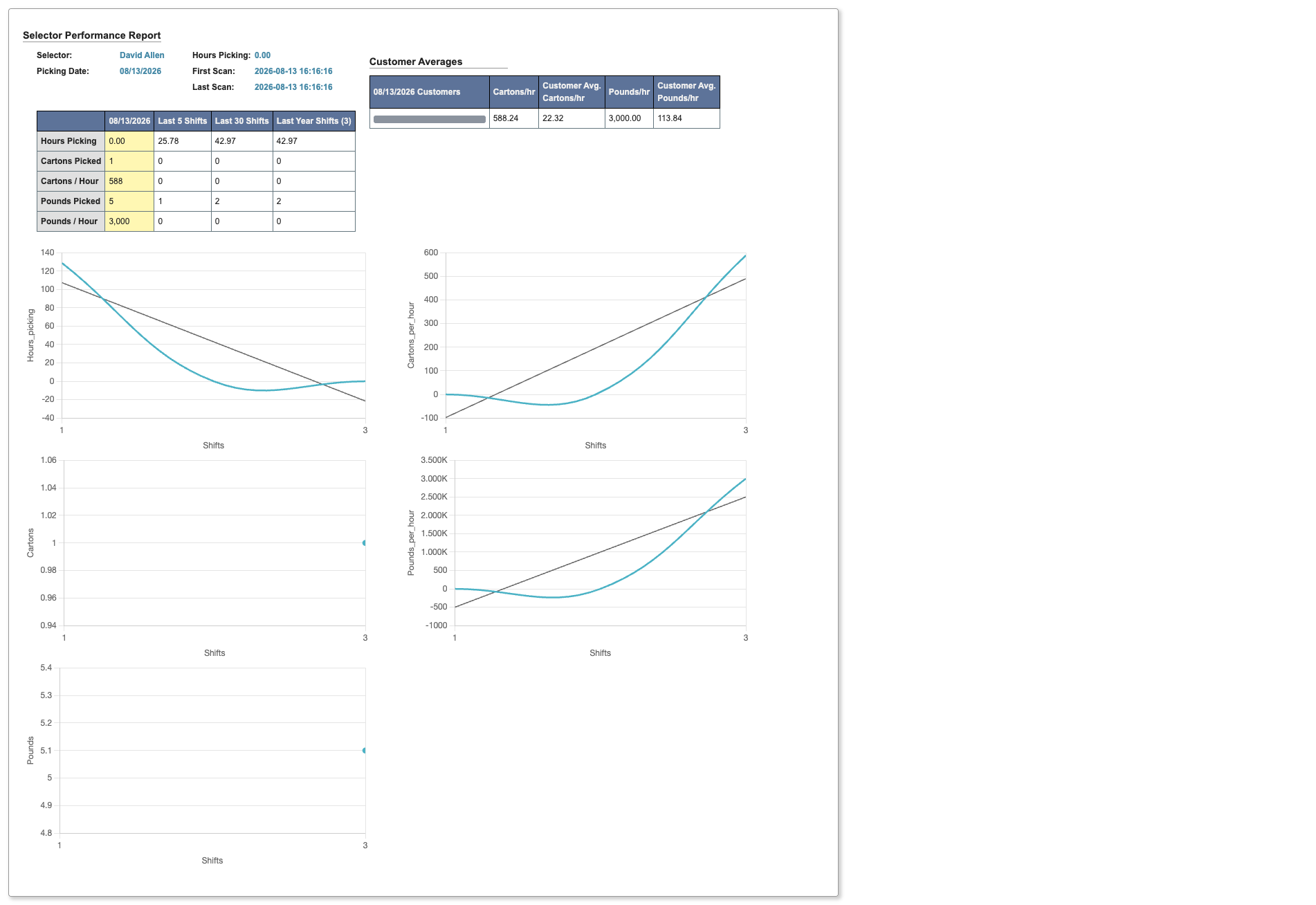
This report will search over the last year’s worth of data to provide comprehensive performance metrics.
- Click the
Selector Scorecardtab. - Set
Picking date(required). - Select
Selector(s)from dropdown (required). Choose from quick options:Yesterday's SelectorsSelectors from 2 days agoSelectors from 3 days ago
- Select time period:
# of Shifts,30,60,90,120, or1 year. - Click
Generate Scorecard.
Customer Tracking

Customer Tracking tab to analyze shipping patterns by customer and shipping method for priority planning.
To track customer shipping patterns and priorities:
-
Click the
Customer Trackingtab. -
Select
Ship Method(required): TL / LTL or SPD. -
(Optional) Add filters:
Customer(s):Select specific customers from dropdownPick date from:Set date range for analysis
-
Click
Generate Report.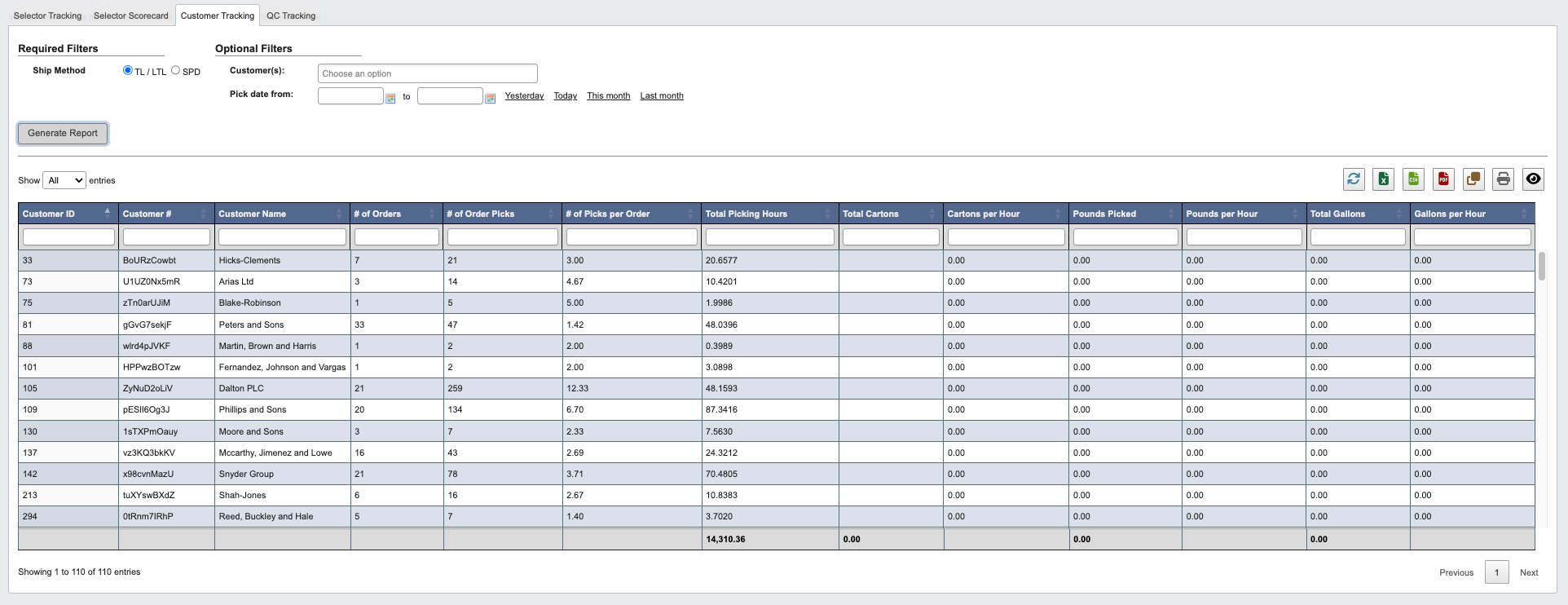
- Review customer shipping data to support priority planning and resource allocation.
QC Tracking

QC Tracking tab to monitor quality control activities and employee performance in the quality assurance process.
To track quality control activities and performance:
-
Click the
QC Trackingtab. -
Set
QC date from(required filter). -
(Optional) Select
Employee(s)from dropdown to focus on specific QC personnel. -
Click
Generate Report.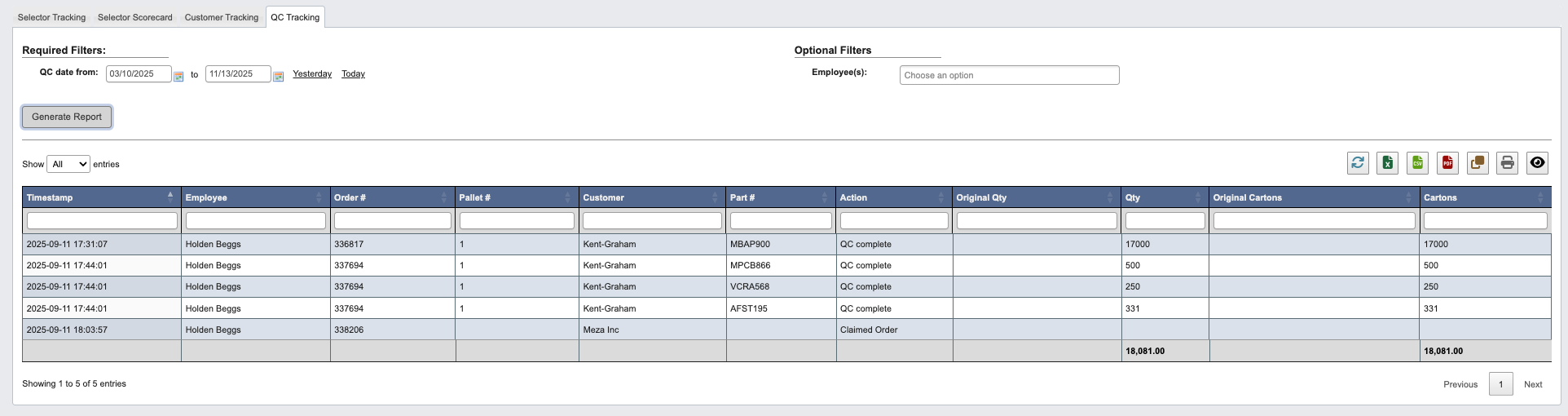
- Review QC activities and identify any quality issues that need attention before products can be shipped to customers.