Overview
The Part Information → Manage Formulas submodule provides comprehensive formula management capabilities for research and development, production planning, and quality control. This system enables lab technicians and formulators to create, edit, and manage product formulations with integrated calculations, version control, and seamless integration with the production batch ticket system. The Manage Formulas system provides comprehensive support for the entire formula lifecycle from initial development through production implementation, ensuring data integrity, regulatory compliance, and seamless integration with manufacturing operations.The Manage Formulas system operates on two sides:
- Lab Side (Master Parts): Where formulas are created, tested, and refined with full editing capabilities
- Production Side (DASH Parts): Where finalized formulas are pushed for batch ticket generation and manufacturing
What You Can Do
The Manage Formulas submodule contains several tabs that support the complete formula lifecycle:- Create Formula: Build new formulations from scratch with real-time calculations.
- View/Edit Formula: Modify existing formulas, manage revisions, and compare versions.
- Add Part: Create new raw material parts with complete chemical and regulatory information.
- View Part: Review and edit existing part information and specifications.
- All Parts: Browse and filter all parts in the system.
- Percent RM by Weight: Generate toxicology reports and raw material analysis.
- Formula Calculation: View formula calculations and project information.
Create Formula
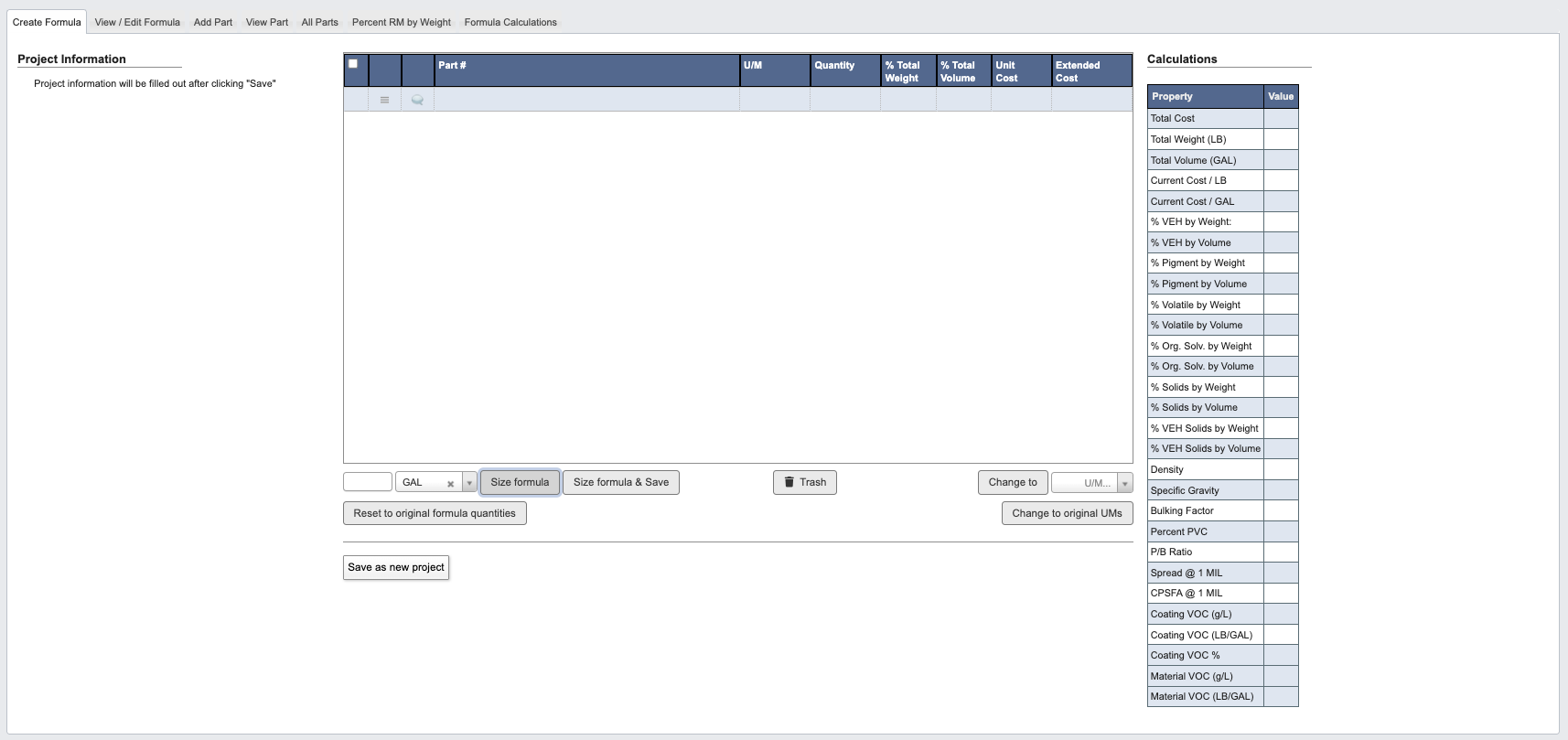
From the Part Information → Manage Formulas submodule, click on theCreate Formula tab. This tab provides a blank workspace for building new formulations from scratch. Follow this tutorial to view / edit a formula: Tutorial: Create Formula.
View / Edit Formula
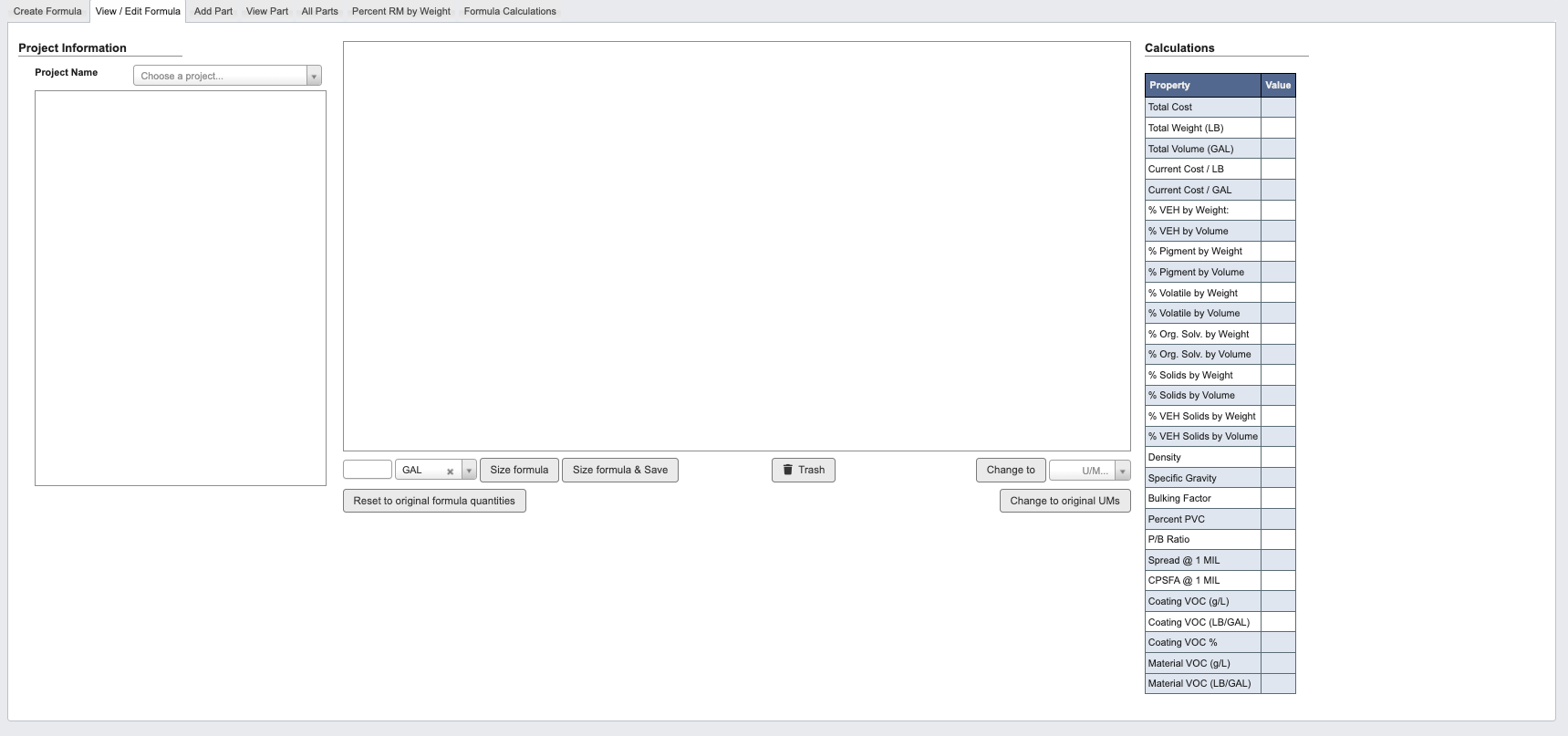
From the Part Information → Manage Formulas submodule, click on theView / Edit Formula tab. This tab allows you to work with existing formulations, create revisions, and manage formula versions. Follow this tutorial to view / edit a formula: Tutorial: View / Edit Formula.
Add Part
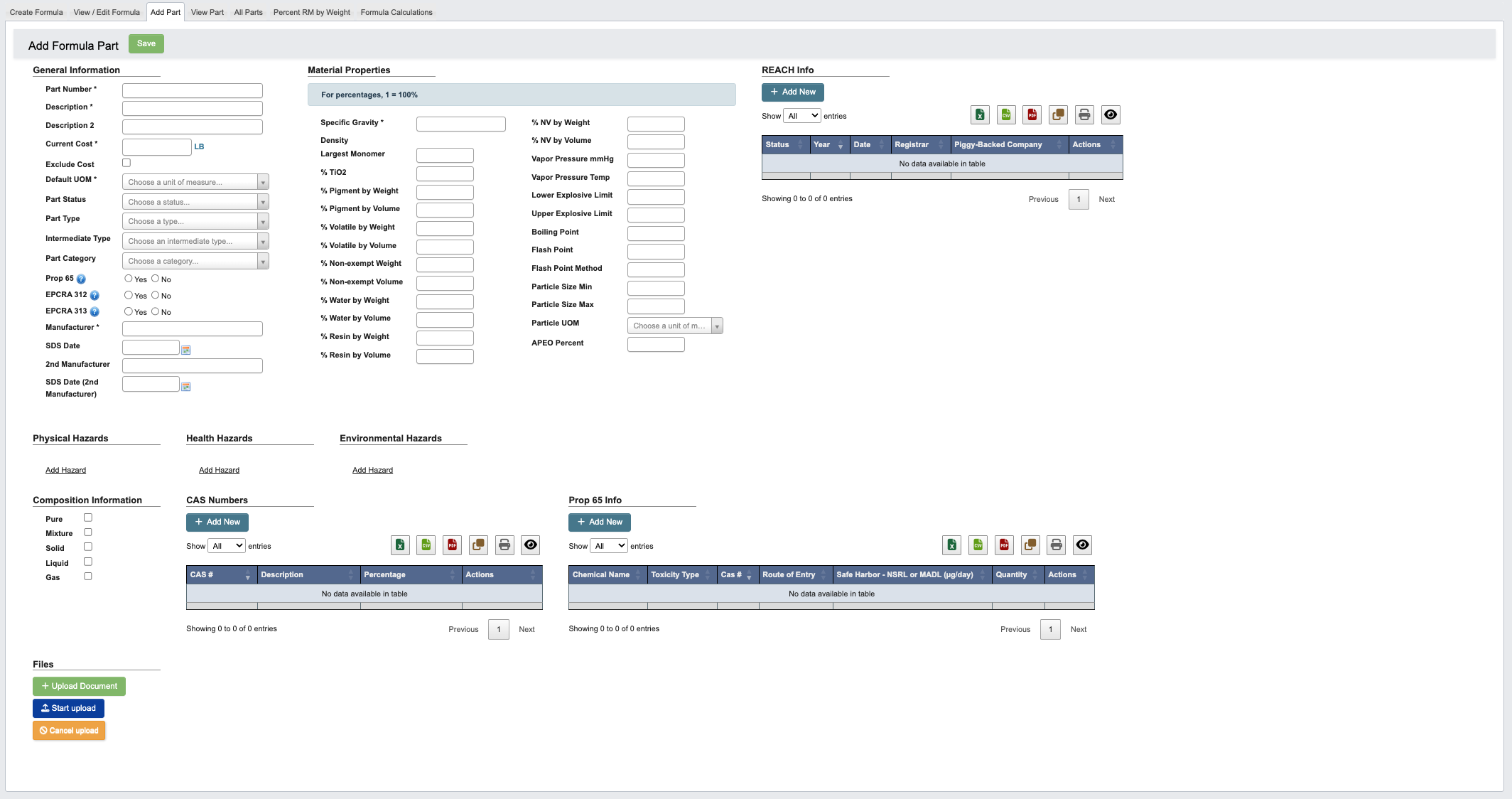
From the Part Information → Manage Formulas submodule, click on theAdd Part tab. This tab enables creation of new raw material parts with complete chemical, regulatory, and physical property information. Follow this tutorial to add a Part: Tutorial: Add a Formula Part.
View Part
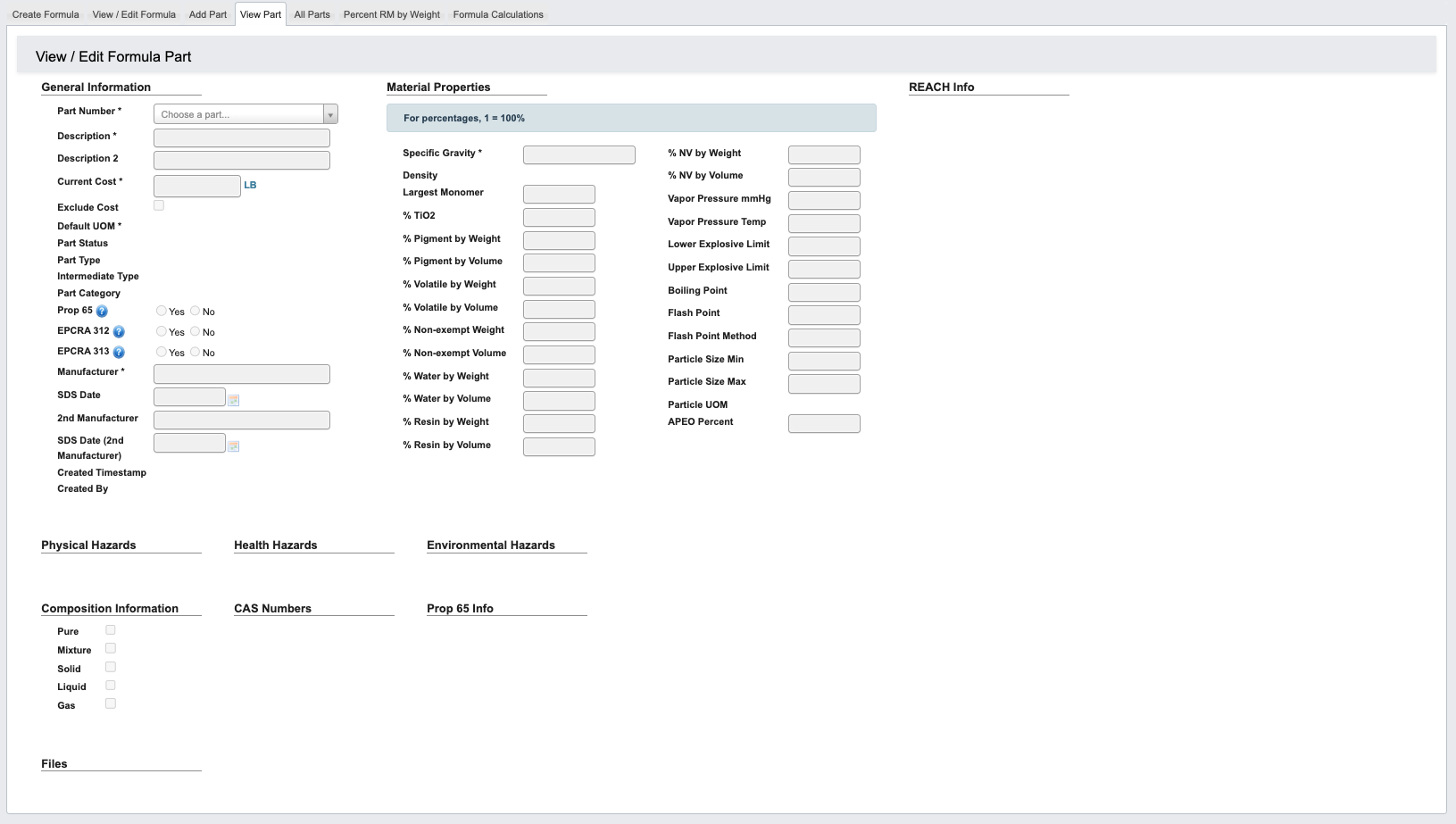
From the Part Information → Manage Formulas submodule, click on theView Part tab. This tab provides comprehensive part information display and editing capabilities.
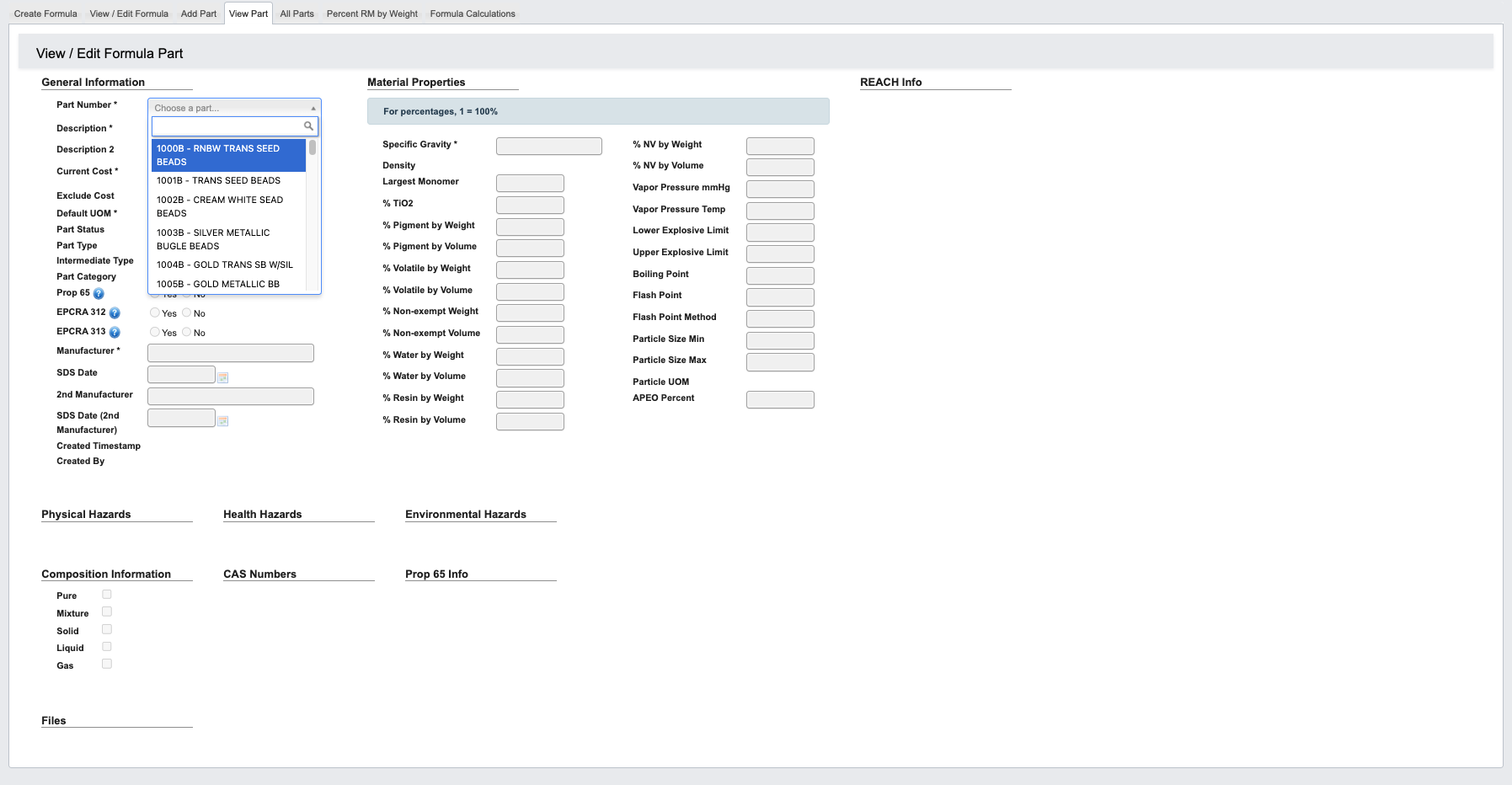
Step 1: Pull up a Formula Part
-
From the Part Information → Manage Formulas submodule, click on the
View Parttab. - Click the dropdown menu next to the Part Number field.
- Enter the Part Number or name, then select it.
-
You can now view the Formula Part general information, material properties, hazards, and more. See Manage Formula Reference for definitions.
Step 2: Use the toolbar to manage the Formula Part
Once you’ve pulled up a formula part, you can manage its information with the following features located in the toolbar:
-
Edit: Edit this work order’s information. Once in the edit view:
- Click
Cancel Editingto cancel editing. - Click
Saveto save your changes.
- Click
-
Add Note: Attaches a note to a Vendor. You can optionally choose an expiration date for the note.
All Parts
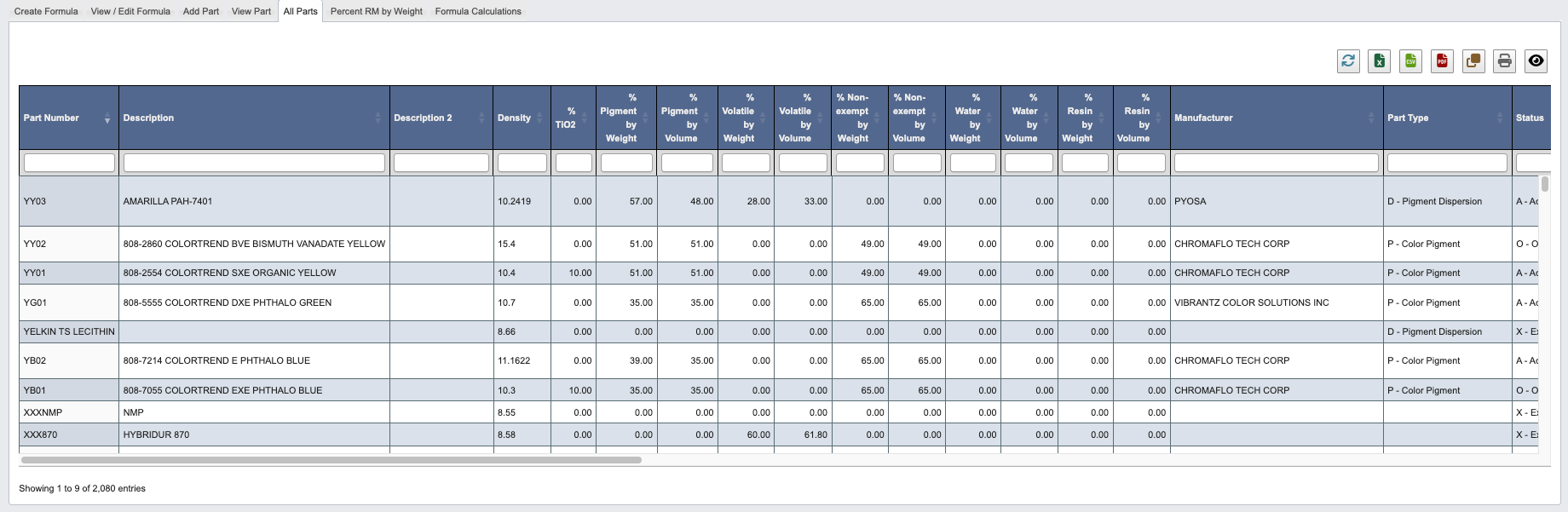
From the Part Information → Manage Formulas submodule, click on theAll Parts tab. This tab provides a complete, searchable table of every part in the system.
Key Features
- Complete Part Listing: All parts with key properties displayed
- Column Sorting: Sort by any property (toxicity, cost, supplier, etc.)
- Quick Reference: Rapid access to part specifications
- Current Information: Displays active part data (most recent version)
Percent RM by Weight

Percent RM by Weight tab. This tab generates detailed raw material analysis for toxicology review and regulatory compliance.
On the toxicology report, more than 11 parts will be split onto a separate page.
- Click the dropdown menu next to
Part Number(s). Add as many part numbers as needed.- If importing in bulk:
Template File: Download an Excel template that shows the available columns and an example row. Fill out the template.+ Upload: Attach the template file to mass-enter Part Numbers.
- If importing in bulk:
- Click the dropdown menu next to
RM Part Number(s). Add as many part numbers as needed. - Choose whether to
Generate Toxicology Report. - Choose whether to
Drill down into bases. - Click
Generate Report.
Formula Calculation

Formula Calculation tab. This tab provides project-level formula analysis and reporting.
- (Optional) Narrow scope by viewing Finalized Only formulas.
- (Optional) Choose Project Type: Part Number, Lab Project, or Miscellaneous.
- Click
Generate Report.