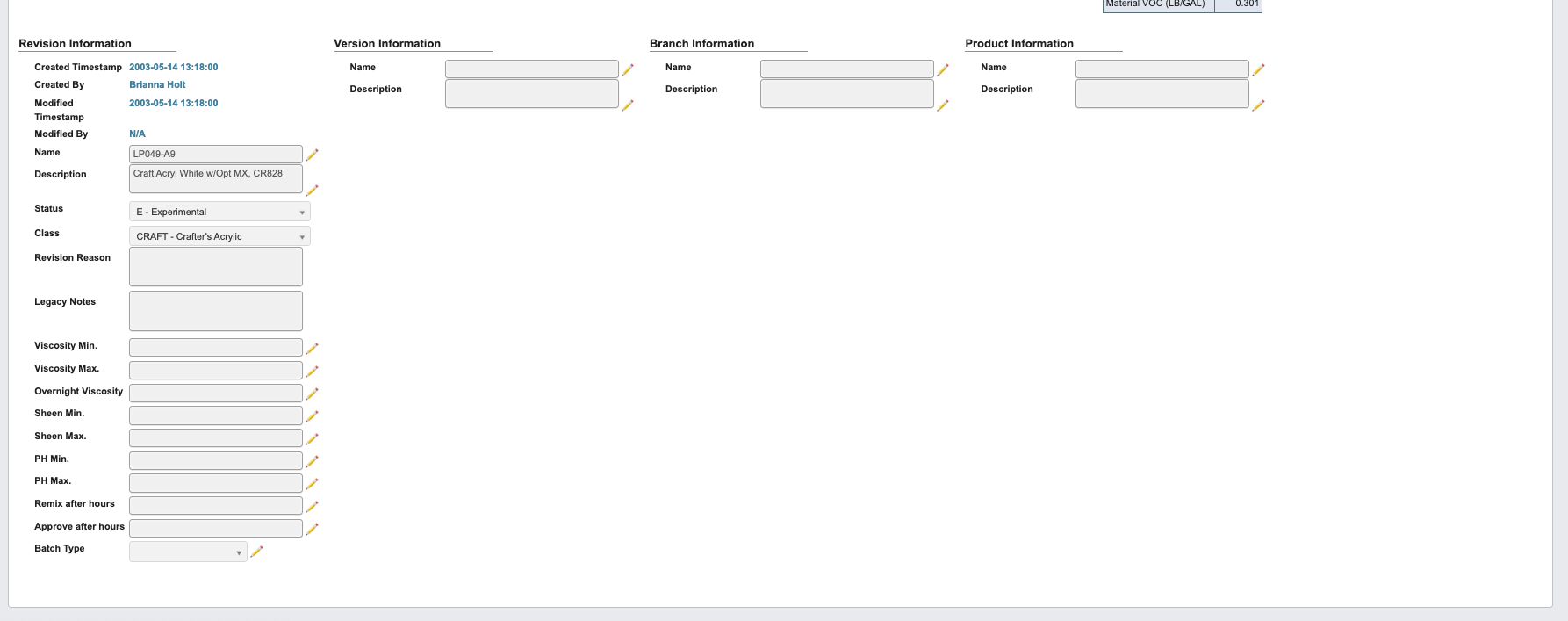
Overview
The View / Edit Formula interface is organized into a comprehensive three-panel layout with additional specification details at the bottom.Left Side: Project Information
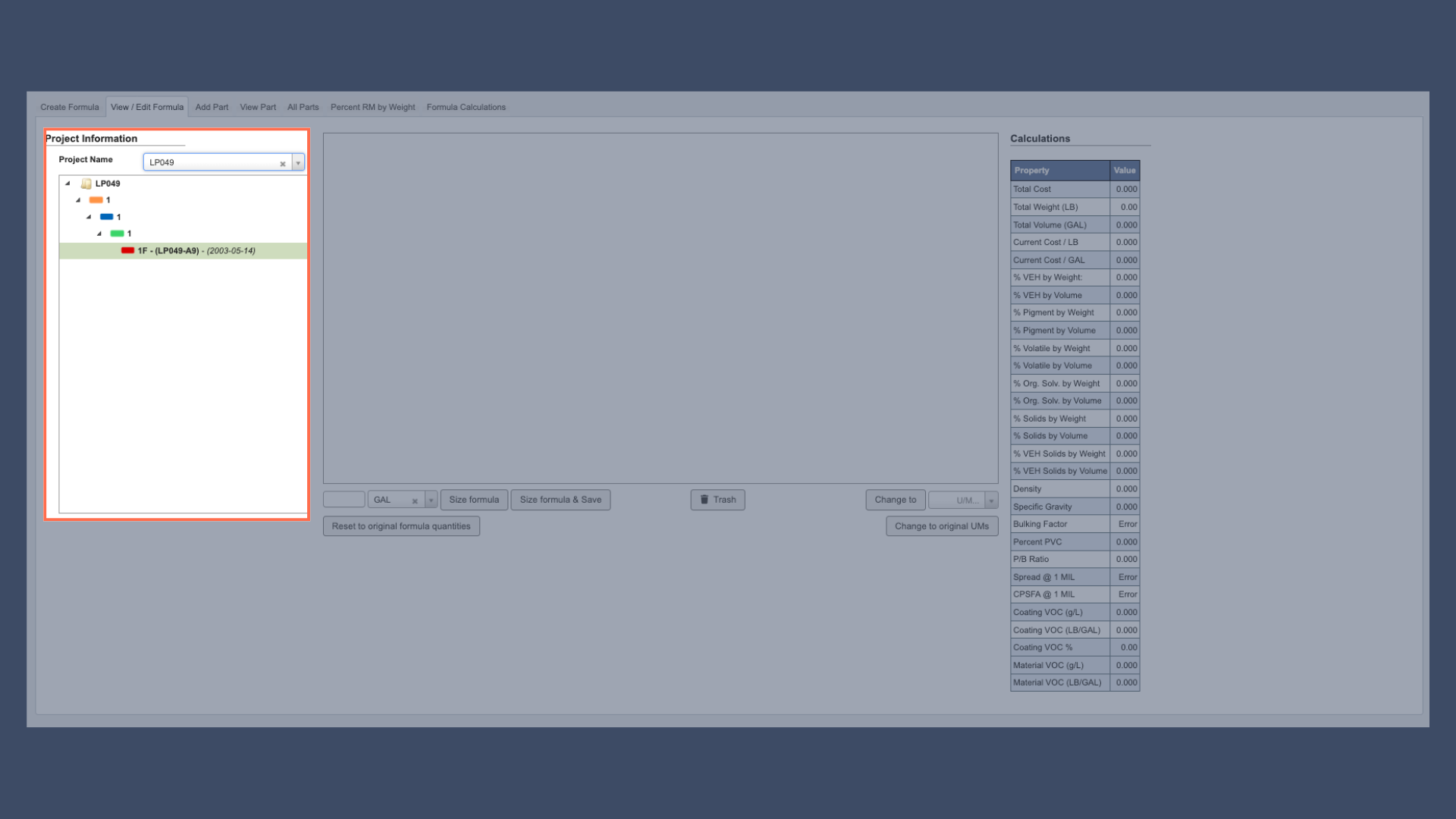
- White/Folder: Top-level projects/folders.
- Orange: Products (second level).
- Blue: Branches (third level).
- Green: Versions (fourth level).
- Red: Revisions (fifth level).
Middle: Formula Table
.png?fit=max&auto=format&n=Ck7ztE-Qr8f4TbSY&q=85&s=8c1f3e5b333ac5315fdd46f734225110)
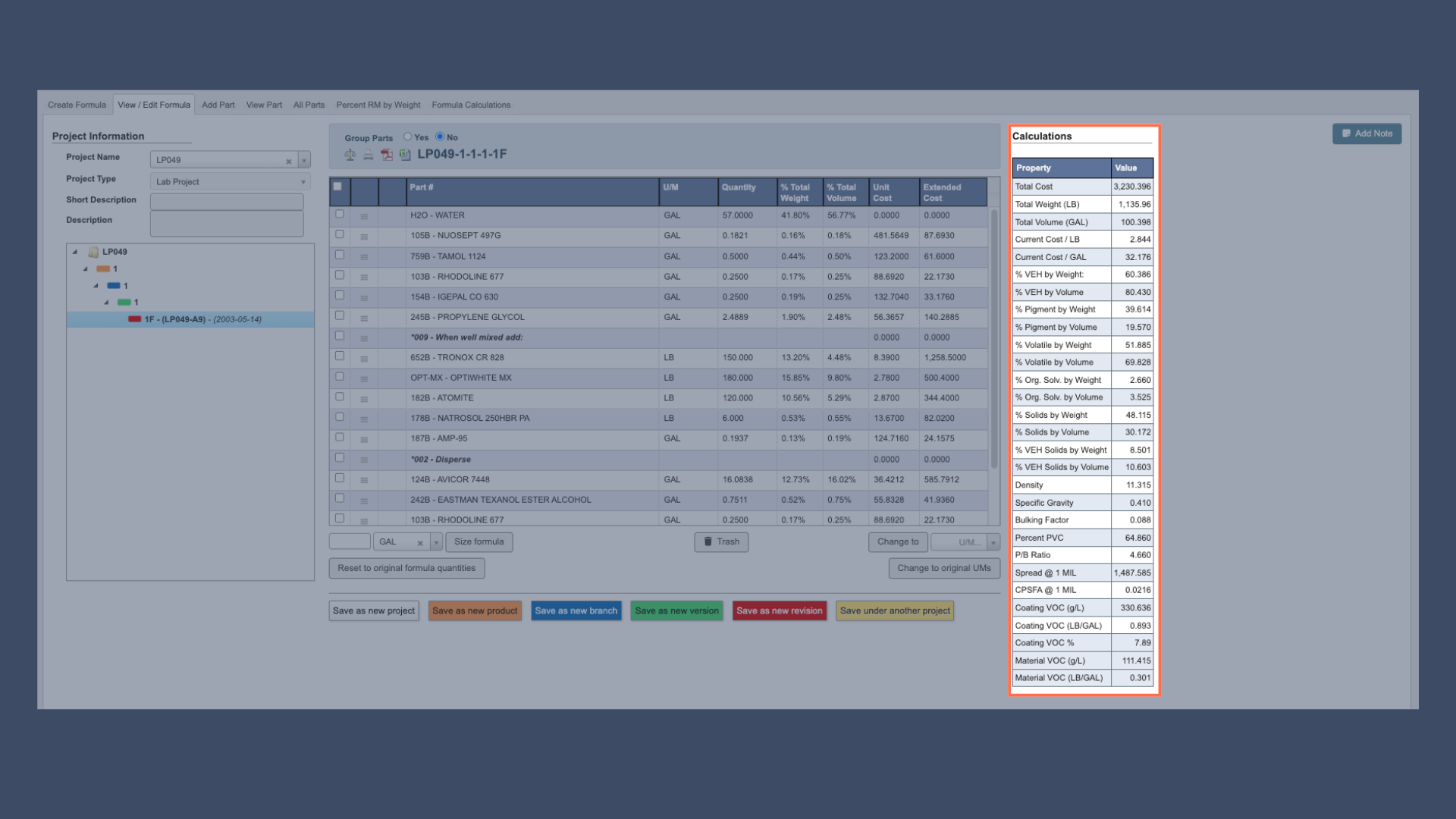
Right Side: Calculations Table
Bottom: Project Specifications